Sign on to kp.org, open your medical record, and download the health summary. For more detail, use the regional online medical records request to choose dates, documents, and a recipient.
Start With the Region That Holds Your Kaiser Account
Kaiser Permanente is one organization on paper, but its medical records are handled region by region. Northern California, Southern California, Colorado, Georgia, Hawaii, the Mid-Atlantic States (Maryland, Virginia, and Washington, D.C.), the Northwest (Oregon and southwest Washington), and Washington State each run their own member accounts and their own records offices. That single fact explains most of the confusion people run into when they search for how to get Kaiser medical records.
Before you download or request anything, work out which region holds your kp.org account. It is usually where your coverage and your regular doctors are, not where a single urgent visit happened. If you have moved between regions, for example from Southern California to Colorado, each region may hold part of your history. Our Kaiser Permanente regions guide lists every region with the areas it covers, so you can check this quickly.
What the kp.org Health Summary Already Gives You

The summary answers most everyday requests in minutes.
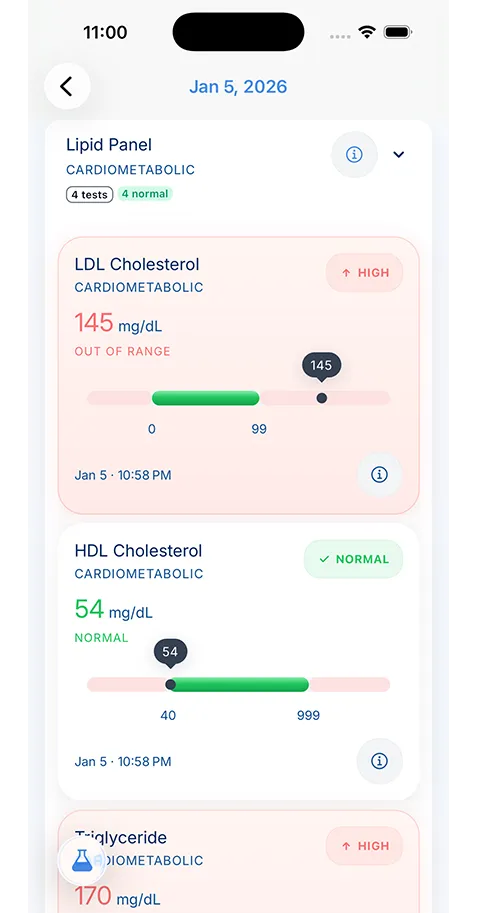
For many everyday needs, you do not need a formal request at all. Every region lets signed-in members download a health summary from kp.org. Kaiser describes it as a summary of allergies, immunizations, ongoing health conditions, prescriptions, test results, and many, but not all, procedures. Several regional pages say it meets most needs, including choosing a doctor outside Kaiser or switching to another health plan.
That makes the summary the right first step when a new doctor asks for your history, when you want a record of your medications, or when a school or camp asks for immunizations. Most regions also offer a separate immunization record you can print. The summary is quick because it is generated from your current chart. Its limits are just as important: it is a summary, not every note, and it does not include image files. Download it, save it somewhere you control, and check whether it answers the question you actually have before you order more.
When to Order a Detailed Copy Instead
A detailed copy is the right choice when you need visit notes, hospital documentation, operative reports, discharge summaries, or a specific date range. Kaiser handles this as a separate online order inside kp.org. In most regions you choose the date range, which records you want, and who should receive them. Completed requests are delivered to your account or by secure email and stay available for a limited time, so download them when they arrive.
Which route
Three ways to get Kaiser records
Match the route to the request, and check the summary first.
-
Health summary
Download from kp.org, signed in
Takes Minutes
Good for
- A new doctor asks for your history
- A record of your medications
- School or camp asks for immunizations
You get
Allergies, immunizations, ongoing conditions, prescriptions, test results and many procedures. A summary: not every note, no image files.
-
Detailed copy
Online order inside kp.org
Takes About 5 to 15 business days, by region
Good for
- Visit notes and hospital documentation
- Operative reports and discharge summaries
- A specific date range
You get
The records you chose, delivered to your account or by secure email and kept for a limited time. Download them when they arrive.
-
Records office form
Your region's Release of Information office
Takes Varies by office
Good for
- Records for a child or another family member
- Records sent to an insurer, attorney or other third party
- Older records, image copies, former members
You get
Whatever the authorization form asks for, from the office that holds that region's charts. Offices differ by region.
Processing times differ by region, and Kaiser publishes them. Northern California and the Mid-Atlantic States ask you to allow about 5 business days. Georgia quotes 10 business days. Colorado and Hawaii quote 10 to 15 business days. Washington State says records are available within 15 business days, consistent with state law. The Northwest sends detailed copies by secure email within about 5 days and provides electronic records free to current and former members. Knowing the expected window tells you when it is reasonable to follow up.
When You Need the Records Office and a Form

Some requests still need the authorization form and the right regional office.
Some requests do not fit the online order. Kaiser routes them to each region’s Release of Information or Health Information Management office, usually with its authorization to use or disclose health information form. The common cases are records for a child or another family member, records sent directly to a third party such as an insurer or attorney, older records that are not visible online, image copies, and requests from former members who can no longer sign on.
Each region organizes this differently, which is why a single national phone number rarely helps. Northern California lists seventeen area Release of Medical Information offices. Southern California lists thirteen area Release of Information offices and asks you to contact yours if records have not arrived within 5 business days. Colorado and Georgia each use one central office. The Mid-Atlantic States use one phone line with a separate fax for each medical center. Washington State splits requests between a Western and an Eastern Washington office. The KeepMD regional guides list the published channels for each one.
What to Put in a Kaiser Records Request

Write it down once: patient details, the office, dates and the documents you need.
A clear request moves faster because staff do not have to call you back. Whether you are filling in Kaiser’s form or writing a cover note, include the patient’s full name, date of birth, and medical record number if you know it. Name the Kaiser medical center or office where care happened and the approximate dates. Then list the specific documents you need rather than asking for “everything,” because a narrow request is easier to fill and easier to check when it arrives.
Say how you want to receive the records and who the recipient is. If you are requesting on someone else’s behalf, include the documentation Kaiser asks for to show you are authorized. Some forms have rules worth knowing. Kaiser’s California third-party authorization stays valid for six months. The Mid-Atlantic form notes that in Washington, D.C., permission to release addiction treatment records expires after six months. Washington State gives minors control over some sensitive records, so a teen may need to sign. If you want help drafting the letter itself, KeepMD’s free medical records request letter generator creates a template and reminders but does not send anything for you.
Imaging, Billing, and Other Special Cases
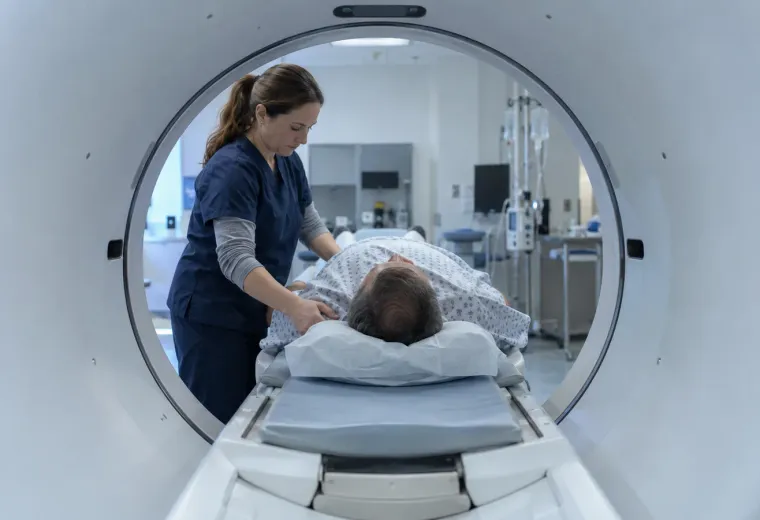
Imaging is the most common surprise. A radiology report is part of your record and can appear in kp.org or in a detailed copy. The images themselves, such as X-ray, CT, or MRI studies, are usually a separate request, often delivered on CD or through a download portal. Several regions route them differently: the Northwest has a dedicated Imaging line, Washington State lists imaging centers that process CDs faster, and Hawaii offers radiology studies on CD or USB. Our guide to Kaiser imaging and radiology records covers this in detail.
Billing records are separate too. Itemized statements, copay summaries, and health plan claims come from Kaiser’s billing and member services teams, not from the clinical records office. If you are trying to read an explanation of benefits, KeepMD’s separate EOB decoder can help you understand it, but claims are not part of a clinical records request or connection.
Where a KeepMD Connection Fits
In KeepMD, you can connect the region that holds your kp.org account. It is a regional Kaiser Permanente clinical records connection: KeepMD opens Kaiser’s own sign-on page, you approve access there, and KeepMD organizes the clinical records Kaiser makes visible to your account, such as results, medications, allergies, immunizations, conditions, and documents. Your kp.org password stays with Kaiser.
The connection is useful for keeping records from several providers in one private place on your device, but it does not replace a formal request. Kaiser decides what it releases through the regional connection, so not every record will appear, and image files and claims are not included. If something is visible in kp.org but missing in KeepMD, compare the dates and document types first. If it is not visible in kp.org either, request it from your region’s records office.
Keep a Simple Request Log
Every records request is easier to follow up when you write down four things: the date you submitted it, the channel you used, the region and office that received it, and the documents you asked for. When the records arrive, check them against that list before you file them away. Missing pages are easier to chase while the request is still fresh.
If you are gathering records for an appointment, tell the receiving doctor’s office when you requested them, and ask whether they can request them directly as well. Doctor-to-doctor transfers for continuing care are sometimes faster than a patient copy. When everything has arrived, store it where you can find it next time, so you do not repeat the same request before every visit. Under HIPAA, you have a right to access your health information, and a clear, well-documented request is the best way to use it.
Kaiser pages cited in this guide: Records, forms and certifications, Colorado; Records, forms, and certification, Washington.