A patient portal shows you what one organization holds. Most people’s care spans several, plus paper, discs and devices that never reach a portal. KeepMD is the private record you keep across all of it, on your phone.
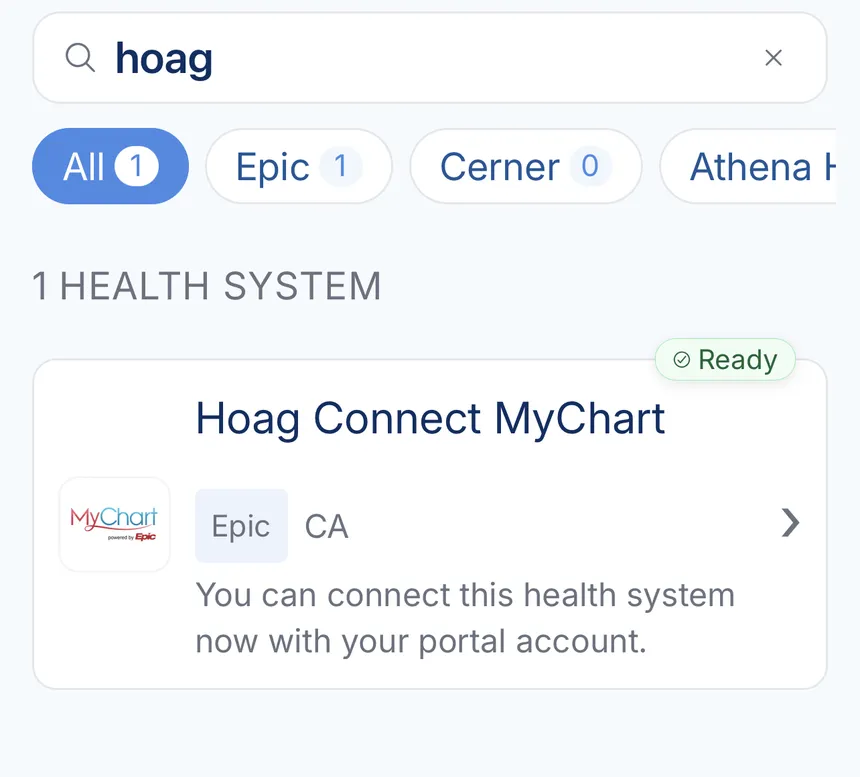
Connects to Epic MyChart health systems
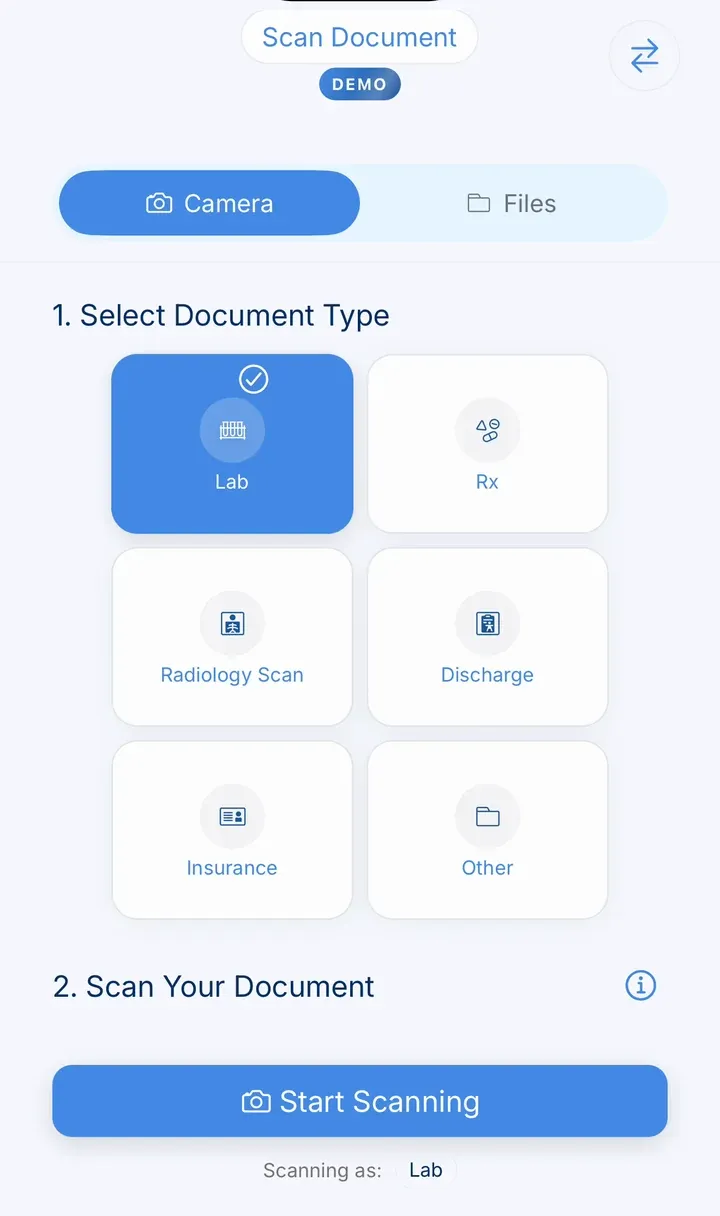
Scans paper and imports PDFs
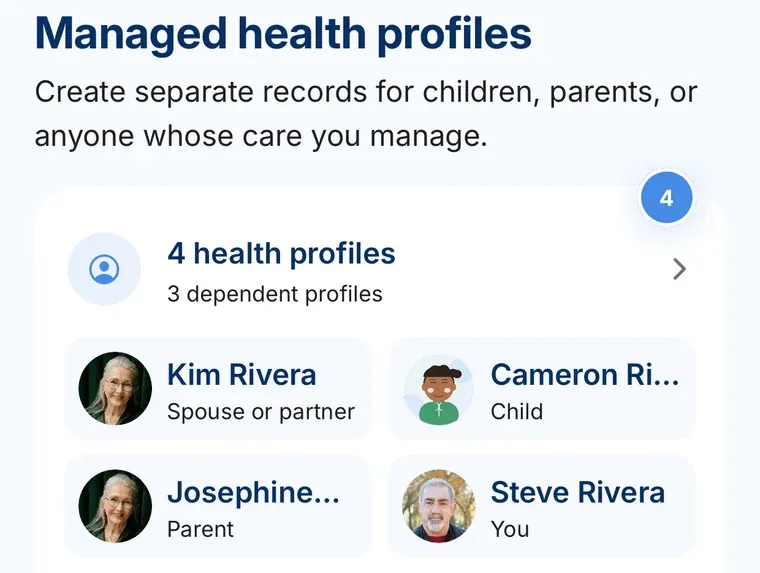
Four profiles on KeepMD Plus
59%of people in the U.S. had more than one online medical record or patient portal in 2024.
7%used an app to combine information from different portals in one place.
Where people have a portal
Share of individuals with an online medical record or portal at each kind of organization, 2024.
Share of individuals with an online medical record or portal at each kind of organization, 2024.
Primary care provider
68%
Another health care provider
40%
Health insurer
30%
Clinical laboratory
29%
Pharmacy
24%
Hospital
22%
A portal answers
What does this organization hold about me?
Your record answers
What has happened to me, everywhere?
KeepMD keeps
The second answer, on your phone, across every portal.
Figures from the ONC data brief on individuals’ access and use of patient portals (HINTS 7, 2024). Illustration, not a KeepMD screen.
Portal or record? Both, for different jobs.
Your patient portal
A website or app your provider runs so you can see what that organization holds about you and deal with them: results, messages, appointments, bills.
Use it to
Read a new result the day it is released
Message your care team
Schedule, check in and pay
Download an official copy from that organization
Your personal health record
A copy you keep yourself, across every provider, in a place you control. It holds what portals show and what they never had.
Use it to
Keep records from several portals together
Scan paper and import PDFs
Keep a separate profile for each person you care for
Open your history without a login, even offline
Use both whenyour care spans more than one place. The portal stays the front door to each organization. KeepMD is the personal health record you carry between them, and the copy you still have if a portal closes.
Patient portal vs personal health record, need by need.
The two tools answer different questions. A portal asks what one organization can show you. KeepMD asks what you need to keep.
Patient portal vs KeepMD, compared need by need
What you need
Patient portal Run by your provider
KeepMD Your personal health record
Message, schedule and pay
Built for it Built for it when your provider offers a portal.
Not its job Not offered. Keep using your portal for these.
A new result from one organization
Built for it Released as that organization posts it.
Partly Arrives when you sync a connected Epic MyChart system or import the file.
Records from several organizations
Partly One login per organization, unless they share a network feature.
Built for it Connect more than one Epic MyChart system; import or scan the rest, each labelled by source.
Paper, discs and PDFs
Not its job Shows what the organization holds, not your own files.
Built for it Scan paper or import PDFs. KeepMD Vision reads results with your permission.
Family records
Partly Proxy access, with rules each organization sets.
Built for it Up to four separate profiles on KeepMD Plus, each with its own connections.
Records without a connection
Partly Needs a connection and a working login.
Built for it Saved records stay on your phone and open offline.
Preparing for a new specialist
Partly Some portals can share a temporary view with another clinician.
Built for it Visit prep with notes, questions and a specialist packet PDF.
Changing providers, or a portal that closes
Partly Access can end when you leave or the practice changes software.
Built for it Your copy stays yours.
Who keeps the copy
Partly The organization runs the portal and decides what it shows.
Built for it You keep a read-only copy on your device and decide what to share.
Which portal do you have?
What KeepMD can do with a portal depends on who runs it. Four situations cover most people.
Connect
Epic MyChart
Hospitals and health systems that use Epic offer MyChart. KeepMD connects to them through the patient-access standard they publish, saves a read-only copy on your phone and keeps each system labelled. Kaiser Permanente regions connect the same way, with a guide for each one.
FollowMyHealth, healow, athenaPatient, Oracle Health and other portals
Portals from other vendors work the same way for the clinics that offer them, but KeepMD doesn’t connect to them yet. Download your visit summaries, results and documents from the portal, then import the PDFs into KeepMD, or scan what only came on paper.
Nearly a third of people have a portal with a laboratory and a quarter have one with a pharmacy. Lab portals usually let you download a PDF report, pharmacy portals show your fill history and insurer portals hold claims and explanations of benefits. Save the files you will need again.
Smaller practices, older records and practices that changed software may leave you without a portal you can use. You still have the right to a copy. Request it in writing, track the response date and keep what arrives in KeepMD.
KeepMD never replaces a login. It collects what each portal can give you, adds what none of them hold, and keeps the copy on your phone.
1
Connect your Epic MyChart systems
Search for your hospital in KeepMD. You sign in on the organization’s own MyChart page, choose what to share, and a read-only copy arrives. Repeat for each Epic health system you use.
2
Import what other portals let you download
Save visit summaries, lab reports and letters as PDFs from any portal, then import them. With your permission, KeepMD Vision reads results so you can review them before saving.
3
Scan what never reached a portal
Vaccination cards, discharge folders, imaging reports and pharmacy printouts go in from the camera, into the same record as everything else.
4
Keep each person separate
On KeepMD Plus, up to four profiles, each with its own records and connections, for a child, a partner or a parent whose portals you manage.
Download what the portal shows. Keep what it doesn’t.
Most portals let you view, download or send your record. Look for a download, export or share option, save the PDF, and bring it into KeepMD. Then add the things no portal ever had:
Paper from clinics that don’t use a portal
Imaging on a disc or a printed report
Vaccination cards and school forms
Readings from home devices
Medication changes you noticed at home
A closer look at portals and records.
What people mean by a patient portal alternative
Most people who search for a patient portal alternative are not unhappy with their portal. They are tired of having several. One login for the family doctor, another for the hospital, a third for the lab, a letter from a specialist who does not use a portal at all, and a folder of paper from everything before that.
What they want is not another portal. It is one place for the record that all of those portals hold a piece of: a personal health record they control, used beside the portals rather than instead of them.
If you run a practice and are comparing portal software for your patients, this page is not for you. KeepMD is a patient-side record. It does not provide messaging, scheduling or billing for a clinic.
Do you have to stop using your portal?
No, and you should not. A portal is the most direct way to reach the organization that runs it. New results appear there first, messages go to the right care team, and the official copy of a visit note or bill lives there.
What a portal cannot do is follow you. It shows the slice of your history that one organization holds, for as long as you are their patient and they keep that software. KeepMD takes the copy out of each portal and keeps it with the rest of your record, on your phone, where it stays when the relationship or the software changes.
Why most people end up with several portals
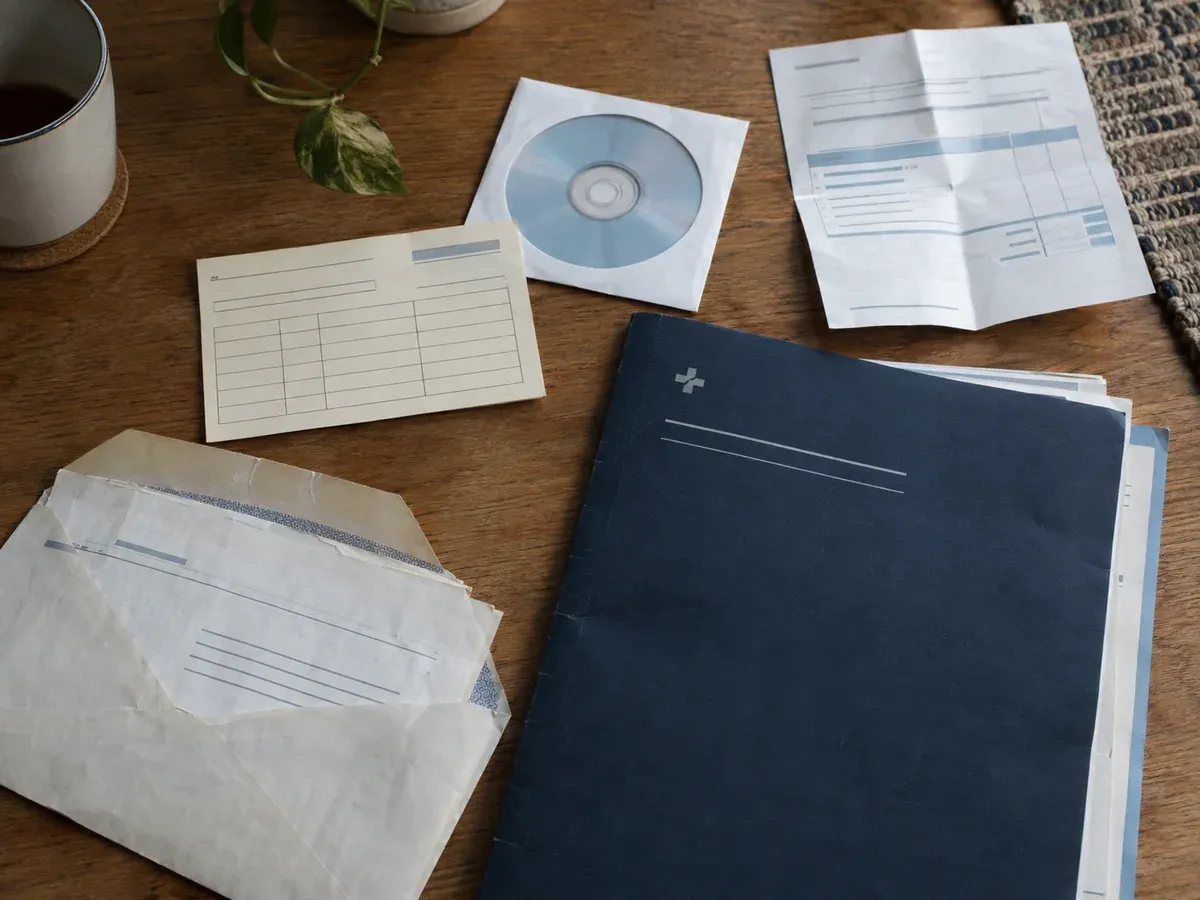
What no portal holds: cards, discs, printouts and letters.
Portals are organized around organizations, and care is not. ONC’s 2024 data brief found that 68% of people in the U.S. had a portal with their primary care provider, 40% with another health care provider, 30% with an insurer, 29% with a laboratory, 24% with a pharmacy and 22% with a hospital. Put together, 59% had more than one portal.
Very few people have anything that joins them up. Only 7% used an app to combine information from different portals in one place, up from 2% in 2022. The rest sign in to each portal separately, or keep the useful parts as downloads and screenshots that are hard to find again.
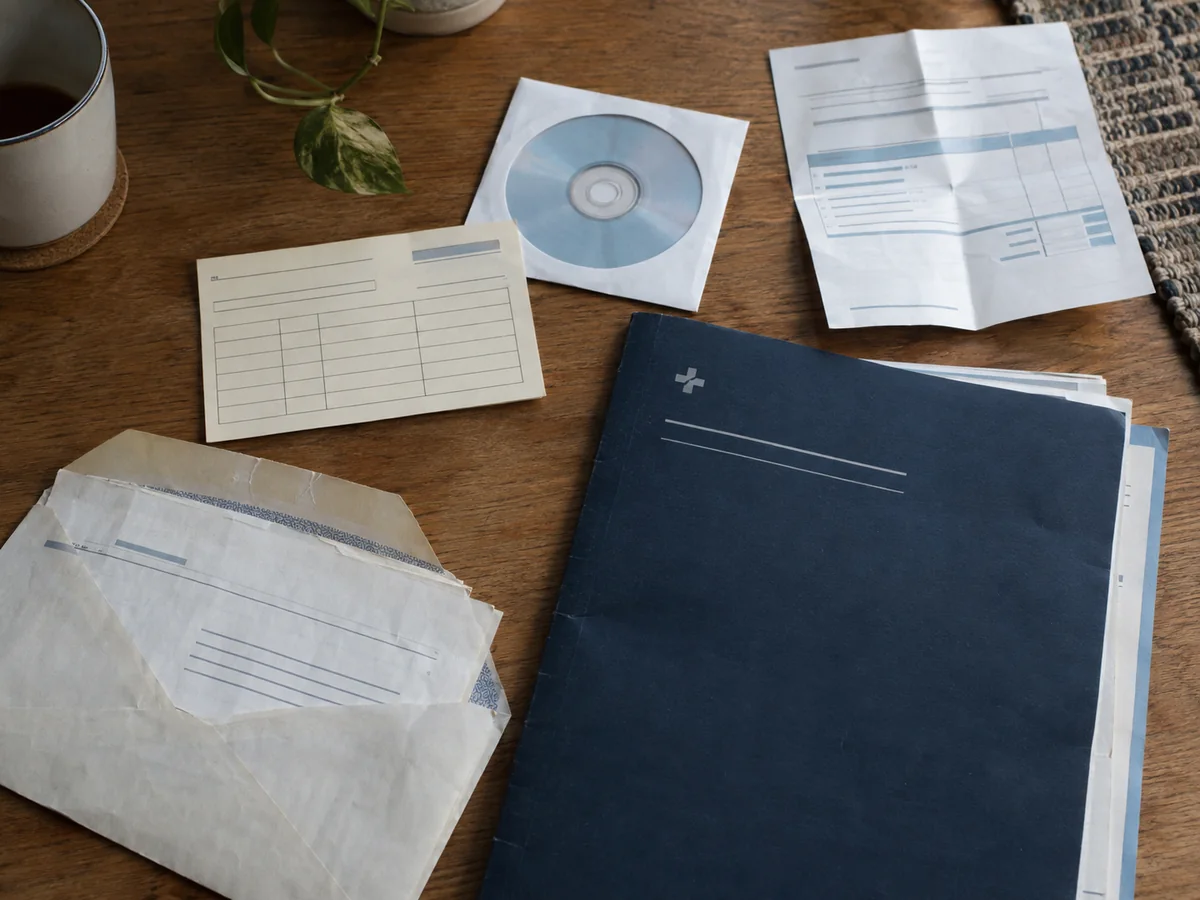
Then there is everything that never had a portal: vaccination cards, imaging on a disc, discharge folders, pharmacy printouts and the notes you took at home when a dose changed. A portal was never meant to hold those. Your record has to.
How to download your records from a portal
Most portals let you view, download or send your record. Look for a download, export, “share my record” or “request records” option, often under health summary, documents or medical records. Visit summaries, lab reports and letters usually come as PDFs. Some portals can also send a copy directly to another provider or to an app you choose.
If you have Medicare, Tricare or VA care, the Blue Button option on those portals downloads a copy of your information in one step.
Save the files somewhere you will find them again, then import them into KeepMD. With your permission, KeepMD Vision reads lab results from a PDF or a scan so you can review the values before saving, and every file keeps a label that says which portal it came from.
When a portal closes or your practice changes software
Portals are tied to the software a practice runs. When a clinic changes systems, is acquired or closes, the old portal often goes with it. Your records do not disappear, but your easy access to them can.
Your right to a copy does not depend on the portal. Under HIPAA you can inspect or receive a copy of your records from providers and health plans, with limited exceptions such as a therapist’s psychotherapy notes. A provider cannot refuse because of an unpaid bill, and can charge only a reasonable, cost-based fee for copying and mailing, with no fee for searching or retrieving the file.
Ask in writing, say which records and dates you need, and ask for an electronic copy if one exists. Providers generally have up to 30 days to respond, and may take one 30-day extension if they tell you why and give a new date. If you need a letter, the free request letter generator drafts one with reminder dates. It does not send the request for you.
Your right to send records to an app you choose
The same right of access lets you ask a provider or health plan to send your records to a person or an app you name. HHS encourages patients to use it: with your health information in hand, you can track lab results and medications, understand your history, get copies of imaging and share information with a caregiver or a clinician you choose.
Connected apps use the patient-access interface that hospitals must offer. When KeepMD connects to an Epic MyChart health system, you sign in on the organization’s own page, pick the record categories to share and decide how long the access lasts. KeepMD never changes your chart; it keeps a read-only copy. Each hospital guide shows that system’s own portal, for example Cleveland Clinic MyChart or Cedars-Sinai’s My CS-Link.
How to choose a personal health record app
School forms, inhalers and a child’s portal: a record a parent keeps.
A good personal health record app should take records however they arrive: from a hospital connection, as a PDF, from the camera or typed in. It should keep each person’s record separate, keep working when you have no connection, and let you share a clean summary when a clinician needs one.
Ask where the record is stored. KeepMD keeps your records on your phone in encrypted storage, so saved records open offline and nothing is uploaded unless you choose to share it. On KeepMD Plus you can keep up to four profiles, each with its own hospital connections, which matters when you manage a child’s or a parent’s portals as well as your own.
Finally, look at what the app does with the record once it is together. KeepMD tracks lab results over time, keeps a medication list with reminders, and builds a specialist packet PDF with your questions and recent labs before a new appointment. That is the difference between portal access and record control: access lets you retrieve information, control lets you keep it, add to it and bring it with you.
Questions
Portals and personal health records, answered
Usually not a replacement for your provider's portal. People searching for one want a single place for records that live in several portals, on paper and on discs. That is a personal health record app, such as KeepMD, used beside the portals you already have.
No. Keep the portal for provider-specific tasks such as messages, appointments, new results and bills. Use KeepMD for the copy you control across every provider.
Each portal reflects one organization. ONC reported that in 2024, 59% of people in the U.S. had more than one online medical record or portal, with portals at primary care offices, other providers, insurers, laboratories, pharmacies and hospitals.
KeepMD connects to hospitals and health systems that use Epic MyChart, including more than one at a time, and saves a read-only copy on your phone. For other portals, download your records as PDFs and import them, or scan what came on paper.
Yes. Connect each Epic MyChart health system separately in KeepMD, import the files other portals let you download, and scan the rest. Each record stays labelled with where it came from.
No. KeepMD is a personal health record for patients and caregivers. It does not provide portal software, messaging or scheduling for a practice.
Your right to a copy does not depend on the portal. Request your records in writing; providers generally have up to 30 days to respond, with one 30-day extension if they tell you why. Keep what arrives in KeepMD so the next change of software does not take your history with it.
Everything around your record.
Need something a portal doesn’t show? Learn how to request medical records, then keep what arrives in KeepMD next to everything else.
Family and caregiving
Separate, organized records for everyone you look after.