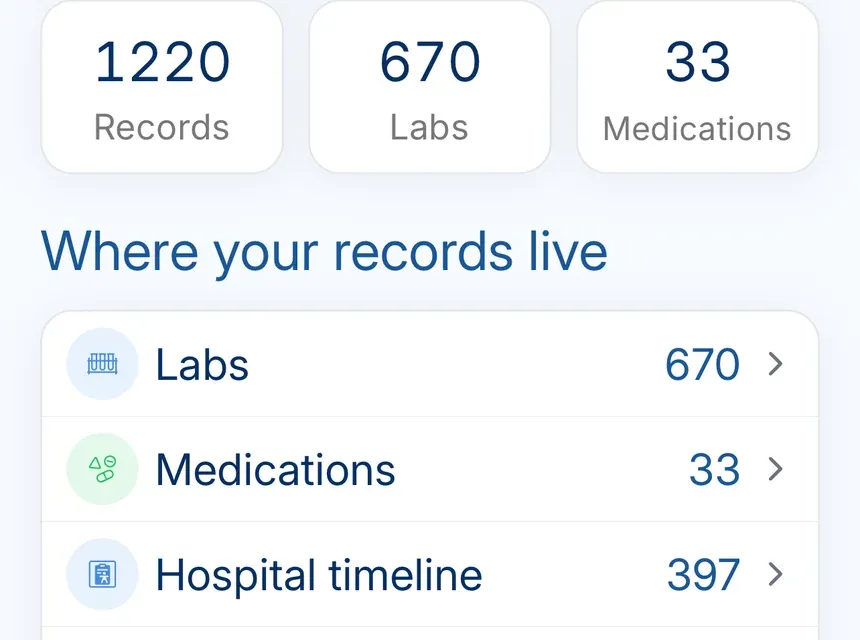
Scan a paper report, import from your hospital or type a result in. KeepMD lines up the same test across labs and years, and checks each result against its reference range.
Encrypted on your phone
Scan, import or type
Starter is free
Your lab trends
Latest · Aug 2026
108 mg/dL High
Average
128 mg/dL
Reference range
Below 99 mg/dL
Since 2022
−40 mg/dL
7 results
3 scanned
3 imported
1 typed
Latest · Jul 2026
5.5 % In range
Average
5.6%
Reference range
4.0–5.6%
Since 2022
+0.1%
7 results
3 scanned
3 imported
1 typed
Latest · Jun 2026
2.3 mIU/L In range
Average
3.4 mIU/L
Reference range
0.4–4.0 mIU/L
Since 2022
+0.2 mIU/L
7 results
3 scanned
3 imported
1 typed
Latest · Feb 2026
26 ng/mL Low
Average
32 ng/mL
Reference range
30–100 ng/mL
Since 2022
+5 ng/mL
6 results
3 scanned
2 imported
1 typed
Reference range
Latest result
Example data, not a real patient. Reference ranges vary by lab and are shown as each report or KeepMD-DB gives them.
Three ways in. One record.
Lab results arrive on paper, in a portal and in the mail. Bring each one in the way it came, and KeepMD files it under the right test. For paperwork beyond labs, see medical document scanning.
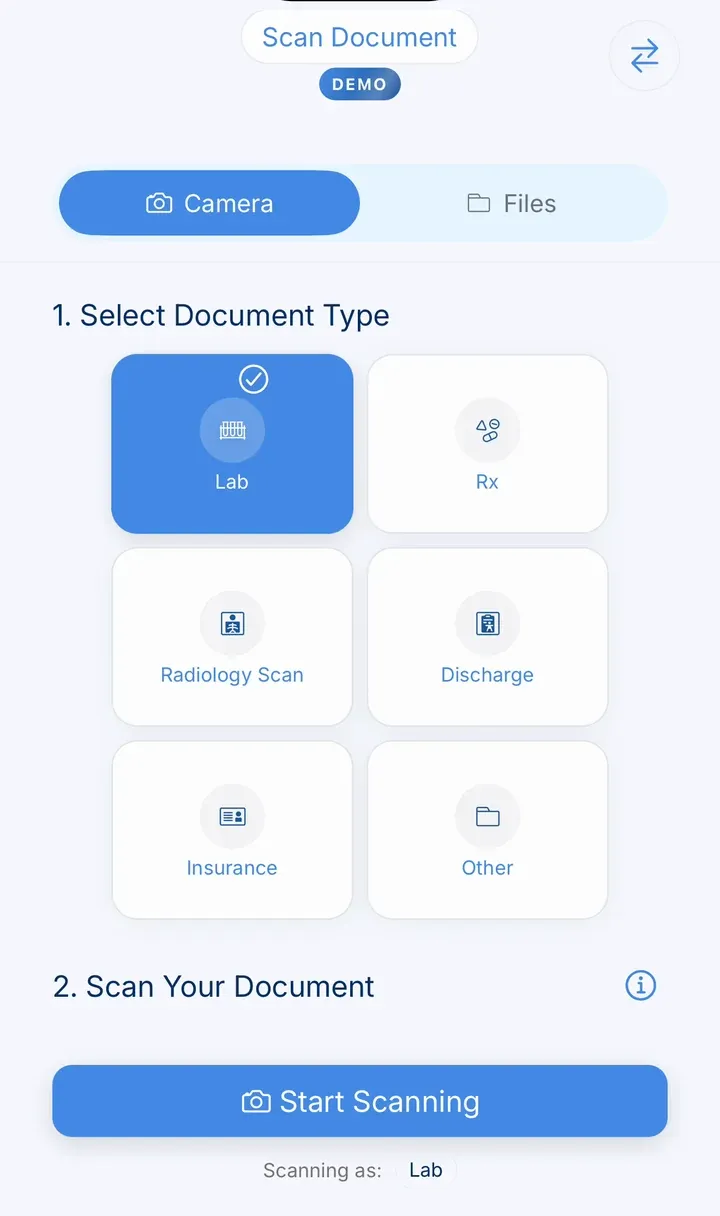
Paper or PDF
Scan a lab report
Photograph a printed report or choose a PDF. After you consent, KeepMD Vision reads the results and files each value under its test, and the scan stays with your records.
Starter includes 15 scan or import pages a month. KeepMD Plus is unlimited.
KeepMD Plus
Import from your hospital
Connect Epic MyChart at supported health systems and your lab results arrive read-only, beside visits and medications.
Add several results from one visit: test, value, unit, range, date and lab. Every field has a microphone, and KeepMD suggests the matching test as you type.
Test
Vitamin D, 25-hydroxy
Value
26
Unit
ng/mL
Range
30–100
52,000 ways labs name their tests 4,600 common lab tests
KeepMD recognizes about 52,000 ways labs name their tests, matched to about 4,600 common lab tests.
One lab prints “LDL-C”, another “LDL Cholesterol Calc”. KeepMD matches the names to a common test, so results from different labs line up on one chart.
Units are never converted. A result in a different unit stays off the line, and the chart tells you why.
What every result tells you.
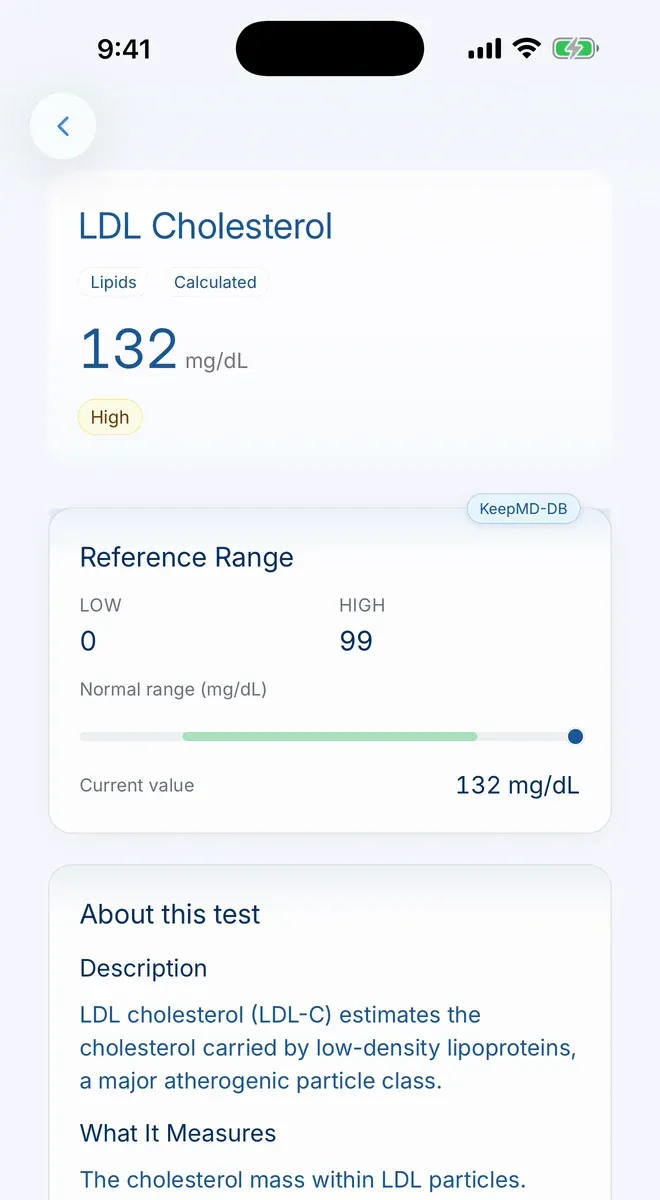
Open any result to see where it sits, where the range came from and what the test measures.
1
The value and its flag
Each result is marked Normal, High, Low or Critical against a reference range.
2
Calculated or measured
Tags show the panel and how the lab got the number. Calculated and direct LDL are different tests, so each keeps its own line.
1
2
3
4
3
Where the range came from
The range bar shows where the value sits, labelled with its source: the lab report or KeepMD-DB.
4
About this test
Plain-language background for common tests, built into the app, so it opens without a connection.
A result outside its range isn’t always a problem, and one inside isn’t a guarantee. Your clinician reads it with everything else they know. For a walkthrough of a printed report, see how to read lab results.
Every visit, at a glance.
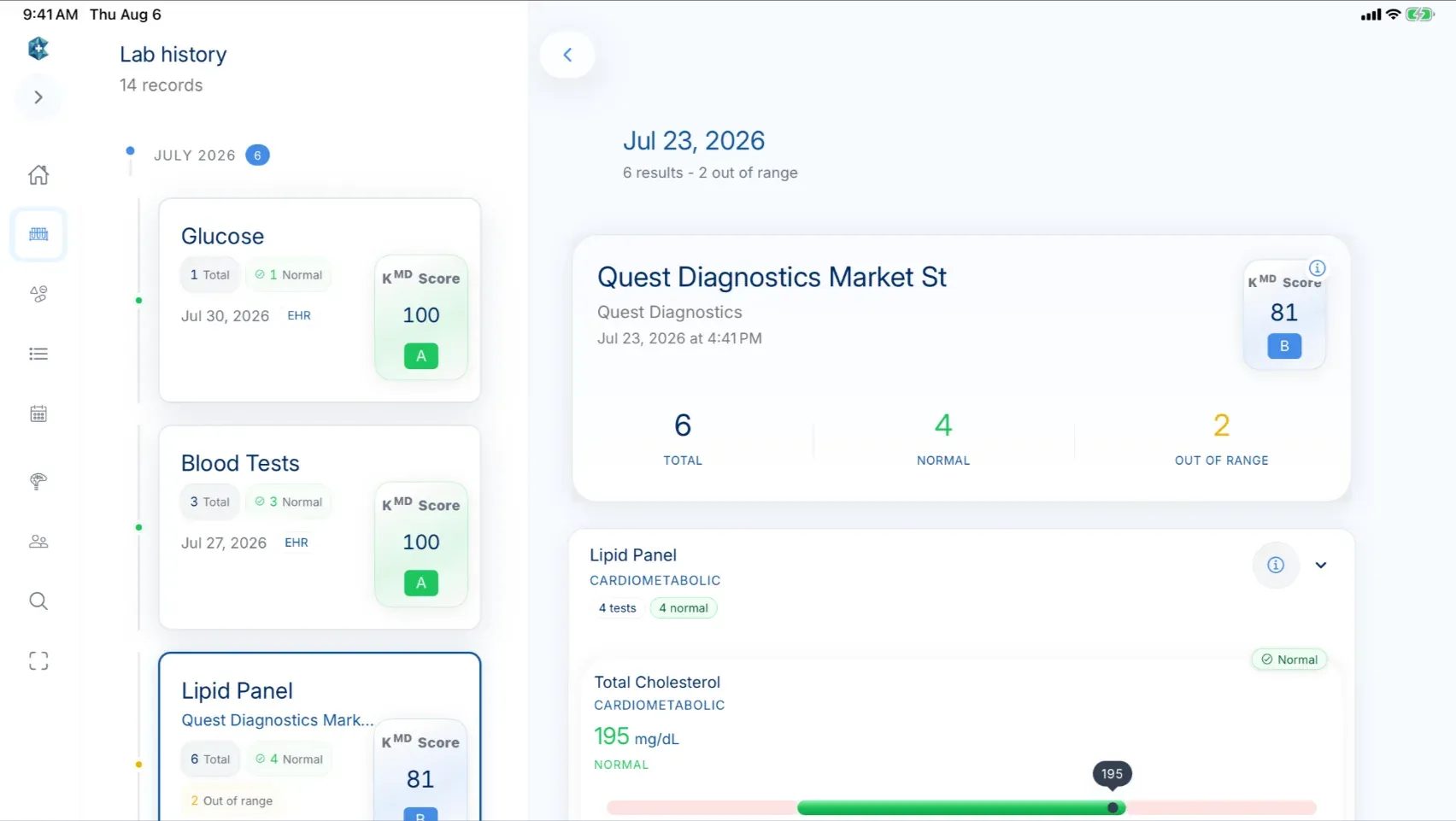
Lab history lists each visit by date with its results, so last spring’s panel is one tap away.
KMDB
A KMD Score for each visit
Each result is scored against its range, and the visit gets an A–F grade with a plain-language reason. It’s educational, not a diagnosis.
Filter and sort
Show Critical, Abnormal or Normal results. Filter by scanned, hospital or typed, and sort critical first.
Attention needed
Your dashboard lists the newest results from the past year that were outside their range.
36 biomarkers,
one guide.
Before you track a number, know what it measures. KeepMD’s free biomarker guide explains what each marker does, where reference bands differ between bodies and why the trend across years says more than one result.
Thyroid biomarkers are not one number. They form a feedback loop.
TSH, free T4, free T3 and TPO antibodies describe different parts of the same system. Keep them together and a sequence of reports becomes easier to discuss than four isolated results.
Metabolic biomarkers do not run on one clock. Read the snapshots together.
Fasting glucose is a moment, HbA1c reflects a longer window, fasting insulin adds context about a hormone response, and triglycerides describe transported fat. Keeping their labels and timing intact makes the next report more useful than the last one alone.
A good tracker turns a pile of reports into one history per test. It should:
put the same test from different labs on one chart, with dates
show each result against a reference range, and say where that range came from
keep the original report, so you can check what the lab actually printed
take results however they arrive: on paper, from a hospital portal or read off a screen
keep someone else’s results apart from yours when you track for them
stay private, because blood work can reveal sensitive health details
KeepMD is built around those jobs. It doesn’t interpret your results, but it makes the history easy to find when you and your clinician need it.
Why one report rarely tells the whole story
Five labs, five layouts. The same test can look different on each report.
Your care team often uses repeat tests to see whether something is getting better, worse or staying the same. A single report can’t show that. The previous result can.
Reference ranges come from large groups of healthy people. MedlinePlus notes that healthy people sometimes have results outside the range, and that a result inside it isn’t a guarantee of good health. Labs also use different methods, units and ranges. When you’re watching a trend, using the same lab helps.
That matters because results come from many places. In the U.S., the CLIA program covers about 320,000 laboratory entities, and your results may come from several of them over the years. KeepMD labels each result’s source and range, so a change of lab is easy to spot.
Enter blood test results by hand
Typing a result in takes a minute, with the report beside you.
Some results only exist on paper or on a portal screen you can’t export. You can type them in:
Add a lab visit with its date, provider and lab.
Add each result: test name, value, unit and the reference range printed on the report.
Use the microphone on any field if typing is awkward.
Pick the matching test KeepMD suggests, so the result joins the right chart.
A typed result lines up with scanned and imported results for the same test, as long as the unit matches. If you have the paper report, scanning it keeps the original with the result.
Tracking labs for someone else
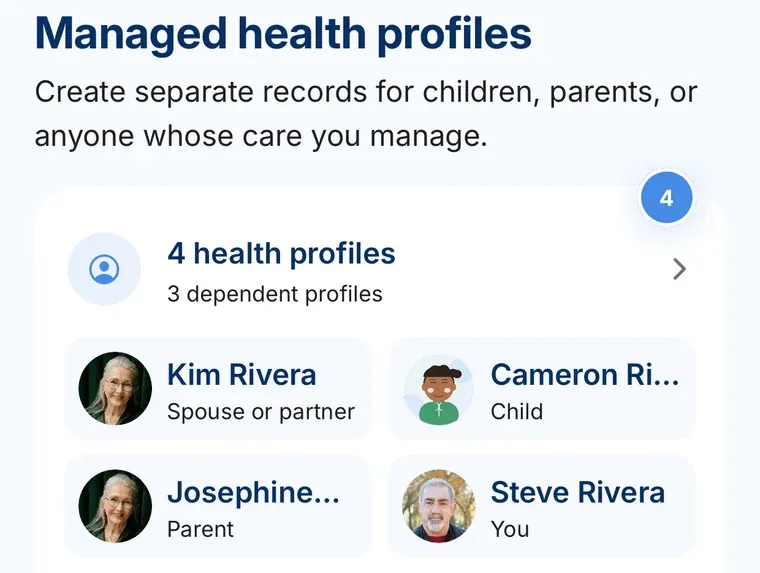
Keep a parent’s results on their own profile.
If you help a partner or parent between appointments, ask their care team which results they’re watching and how often they’ll be repeated. Then keep those results on that person’s own profile, not yours.
On KeepMD Plus you can keep up to four profiles, each with its own labs and hospital connections. Before the next visit, open their trends, note what changed and bring a specialist packet with the flagged results.
Questions
Lab tracking, answered
Yes. KeepMD matches the names labs print to a common test, so results for the same test line up on one chart whether you scanned them, imported them from a hospital or typed them in. Labs use different methods and ranges, so each result keeps its own reference range and source.
Any result on a lab report. KeepMD matches test names to about 4,600 common lab tests, so the same test lines up across labs. For background on 36 common biomarkers, from LDL cholesterol to TSH and vitamin D, see KeepMD's free biomarker guide.
Yes. Add several results from one visit with the test name, value, unit, reference range, date, provider and lab. Every field has a microphone for dictation, and KeepMD suggests the matching test as you type. KeepMD Starter is free.
No. KeepMD never converts units. A chart plots results that share the latest result's unit and tells you when others use a different one, so you can ask your clinician how they compare.
An A–F grade for each lab visit. Each result in the visit is scored against its reference range, and the scores are combined into one letter with a plain-language reason. It's educational and isn't a diagnosis.
On KeepMD Plus, you can connect Epic MyChart at supported health systems. Lab results arrive read-only beside your visits and medications, and they update while the connection's access is valid.
KeepMD shows where each result sits against its range and gives plain-language background for common tests. It doesn't diagnose or recommend treatment. Use it to prepare questions, and let your clinician interpret your results.
Yes. A specialist packet PDF can include a table of flagged results and every result from the last 3 months, 6 months, 1 year or 5 years, or all of them.
Your record is stored encrypted on your phone. When you scan a report, KeepMD Vision reads it in the cloud only after you consent.