
No. HIPAA applies to covered entities and certain business associates, but many consumer health apps operate outside that framework, which is why privacy policies and data-sharing practices matter.
Health Privacy Problems Usually Start Small
When people think about health privacy, they picture a major hospital breach or a headline about millions of records exposed. Those events matter, but many privacy failures begin much closer to home. A patient portal uses the same password as six other accounts. A screenshot of a lab result sits in a general photo library. A health app asks for permissions it does not need. A family member forwards a discharge summary by plain email because it is the fastest option in the moment.
That is why it helps to think about health privacy as a set of habits, not a single promise made by a hospital or app. You can protect health data privacy more effectively when you know where your records live, how they move, and which weak points deserve your attention first.
Health information deserves that attention because it can reveal far more than one diagnosis. It may expose mental health treatment, reproductive history, prescription use, chronic conditions, family relationships, and financial details tied to care. Once that information spreads, you cannot treat it like a password and simply replace it.
Start With Accounts, Passwords, and App Permissions
The fastest privacy gains usually come from basic account hygiene. Patient portals and health apps should have unique passwords and two-factor authentication whenever possible. If one reused password leaks in another breach, your medical accounts become easier to compromise too.
Before a breach notice
A ten-minute privacy check
Twelve small decisions. Most privacy failures begin with one of them.
Accounts
- A unique password on every portal and health app
- Two-factor sign-in turned on where it is offered
- A device passcode strong enough to protect what the phone holds
Permissions
- Camera, contacts, location, microphone and files only for a clear health function
- Apps you no longer use removed
- A look at which apps still reach your health information
Sharing
- One main record instead of copies in texts and email
- Structured sharing instead of forwarding files
- No lab results on a shared desktop or a general cloud folder
Housekeeping
- Portal contact details current, so security alerts reach you
- Old downloads and duplicate files cleared out
- Family access updated when a role changes
That same principle applies to device security. If your phone stores records, scans, or portal logins, a weak device passcode becomes a health privacy issue. This is one reason patients looking into on-device health data storage should think beyond the app itself. The privacy model only works if the device is secure enough to support it.
App permissions matter too. Many people accept access requests without much thought. That is risky. If an app wants your camera, contacts, location, microphone, or files, ask whether that access supports a clear health function or whether it widens the privacy surface for no good reason. Small permission decisions add up.
HIPAA Matters, but It Does Not Cover Everything You Use
One of the biggest patient misunderstandings in this area is the assumption that any app dealing with health information must be protected by HIPAA in the same way your doctor or hospital is. That is not always true.
HealthIT.gov explains health information privacy in the context of covered healthcare settings, but the Federal Trade Commission has also warned consumers that many health apps operate outside the HIPAA model people assume. If an app collects sensitive information and shares it for analytics or advertising, the fact that it looks like a health app does not make that practice acceptable or invisible.
That is why patients should read app privacy statements with a harder eye than they use for shopping or entertainment tools. Ask what data the app collects, whether it shares data with third parties, whether deletion is real, and whether the company stores your information by default. If the answers stay vague, that is a signal, not a minor inconvenience.
If you want a clearer frame for that question, our guide on what HIPAA is for patients explains where HIPAA helps and where consumer health tools fall outside it.
Sharing Is Often the Weakest Link

The copy that leaves the main system is the one you cannot take back.
Many privacy leaks happen because patients are trying to be efficient. They text a photo of an insurance card. They email a PDF to a family member. They save a lab result to a shared computer desktop. They upload a visit summary to a general cloud folder because they are trying to keep life moving.
The problem is not the instinct to share. The problem is the lack of boundaries around the shared copy. Once the file leaves the main system, it often becomes harder to track, harder to delete, and easier for the wrong person to keep.
This matters for caregivers in particular. Family coordination creates real pressure to move fast. If several people help manage appointments, medications, and records, you need a record system that makes controlled sharing easier than ad hoc forwarding. Families who already organize family health records often find that privacy improves when the workflow becomes more structured, not less.
Privacy Review Should Be Part of App Selection

If the privacy materials cannot answer where the record lives, that is the answer.
Patients often compare apps by features first and privacy second. For health records, that order should flip.
Look at where the record lives, how the company describes encryption, whether data leaves your device for ordinary use, what kind of export you can create, and how deletion works. If you cannot answer those questions after reading the privacy and support materials, you are being asked to trust the app without enough information.
This is where product category matters. A service that behaves like a real secure medical records app should explain its privacy model in plain language. The explanation should cover storage, access, backup, and sharing. It should not rely on generic phrases about “bank-level security” without telling you what happens to your record in practice. We applied that test to nine apps in our review of the best medical records apps, and only three answered it plainly.
The same standard applies to browser tools. A local EOB decoder should make clear whether bill text stays on your device, whether PDFs are transmitted, and what controls you have before you use it.
KeepMD fits here as one example of a patient-controlled tool where privacy is part of the architecture rather than an extra setting. The relevant question is not whether one app uses strong language better than another. The relevant question is whether the storage and access model respects the fact that the record belongs to you.
Review Your Record and Activity Before Something Goes Wrong
Privacy protection is stronger when you review your environment before a breach notice appears. Check which apps still have access to your health information. Remove the ones you do not use. Review portal account activity and make sure contact details are current so security alerts reach you. Clean out old downloads and duplicate files that no longer need to sit in email or photo storage.
You should also look at the record itself. Wrong contact information, stale family access, and old file locations can all create privacy trouble. If a teenager ages into a different privacy expectation or a caregiver role changes after a hospital stay, your access rules should change too.
What to Do If Health Data Is Exposed
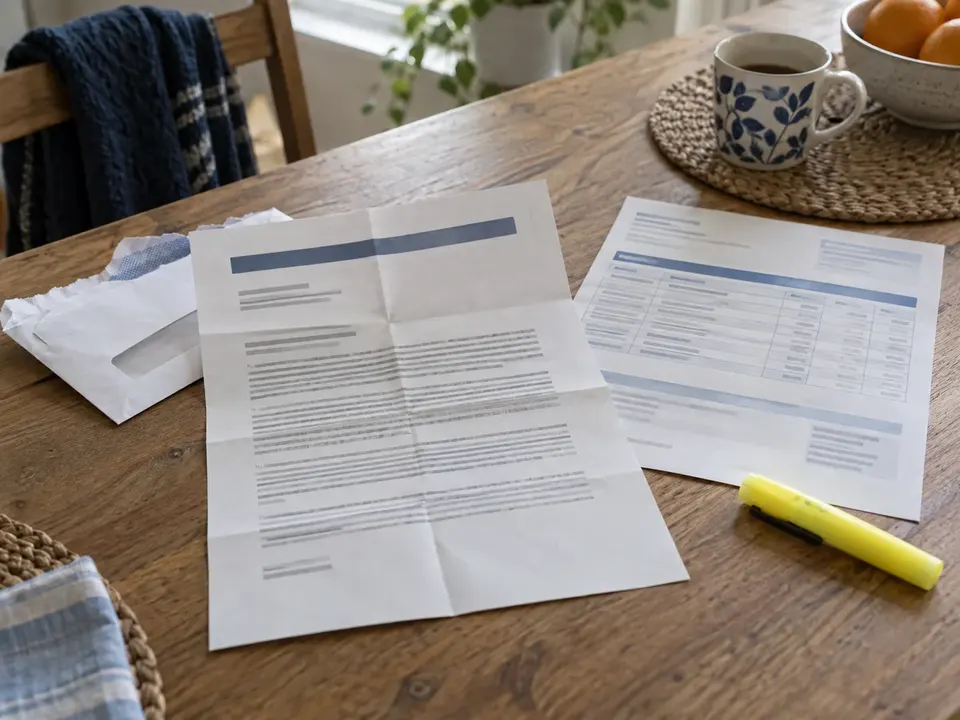
Save the notice, read what was exposed, then check statements for anything you do not recognize.
If a provider, insurer, or app notifies you of a breach, save the notice and read it closely. You need to know what kind of information was exposed, what dates are involved, and what steps the organization is offering. Then review your portal accounts, insurance explanation-of-benefits statements, and billing records for anything you do not recognize.
If the exposed information includes identity details, consider fraud alerts or credit monitoring. If the issue involves a health app, review what other permissions or connected services the app still has. In some cases, deleting the app is not enough. You may also need to revoke account connections or request deletion of stored data.
The right response depends on the exposure, but the basic rule stays the same. Move from notice to action. Do not assume the organization will catch everything for you after the disclosure.
Privacy Gets Stronger When Your Workflow Gets Cleaner
The best privacy move is often a workflow move. Keep one main record instead of scattered copies. Use structured sharing instead of forwarding files across text threads. Turn on account protections before you need them. Review which tools deserve access to your information and which ones do not.
Health privacy does not depend on paranoia. It depends on clarity. When you know where your health information sits, how it moves, and who can reach it, you can make better decisions before the next portal, app, or family handoff puts that information under stress.