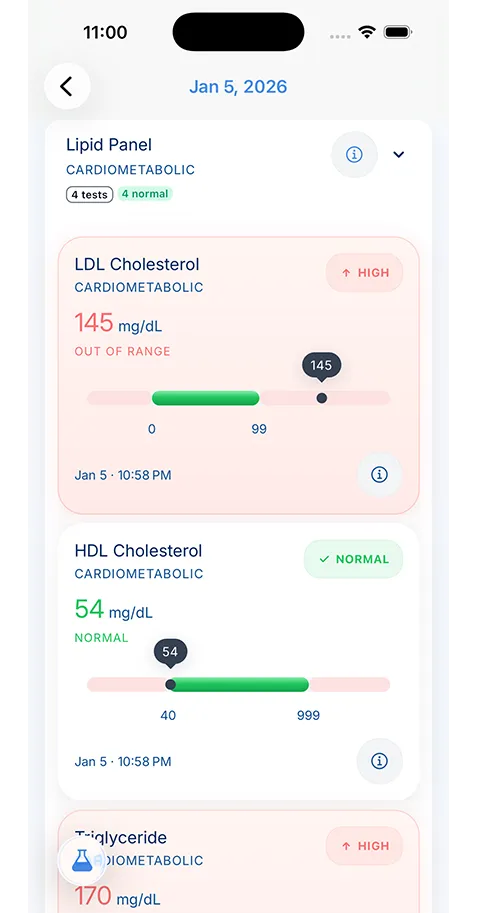

No. A flagged result may reflect normal variation, medication effects, hydration status, lab differences, or a minor change that is not clinically important on its own.
Lab Reports Feel Dense Because They Assume Context
Patients often open a portal, see a red flag next to a number, and feel their stomach drop before anyone has explained what the result means. That reaction is understandable. Lab reports are built for clinical use, and they often assume context that patients do not yet have.
When you learn how to read lab results, the goal is not to diagnose yourself from a portal screen. The goal is to understand the structure of the report well enough to ask better questions and follow the conversation that comes next. Lab results reporting is built for clinical review first, so patients often need a clearer bridge between the numbers and the next decision.
MedlinePlus makes an important point here: providers interpret lab tests together with symptoms, history, physical findings, and other tests. That means the number matters, but the number never stands alone.
Start With the Test Name, Units, and Reference Range
Most lab reports give you at least four pieces of information: the name of the test, your result, the units used, and the reference range. Patients often jump straight to whether a value is marked high or low, but the label makes more sense after you look at the rest.
Anatomy of a report line
One line, five parts
Illustration with an invented value. Not a KeepMD screen and not medical advice.
- Test name
- Creatinine
- Result
- 1.3
- Units
- mg/dL
- Reference range
- 0.6 to 1.2
- Flag
- H
- Test name. What the lab measured. Two labs can name or group the same test differently.
- Result. Your measurement. Read it against the units and the range, never alone.
- Units. How the number is expressed. A different unit makes a different-looking number for the same result.
- Reference range. That lab's comparison interval for people like you, by its own method. Not universal; use the range on the report.
- Flag. A signal, not a diagnosis. Hydration, exercise, timing, medicines and lab variation all move values.
The test name tells you what the lab measured. The units tell you how that measurement is expressed. The reference range shows the interval the lab uses as a comparison point for people like you, based on that lab’s method. Those ranges are not universal. Different labs may use different methods, which is one reason you should compare results to the range printed on that report instead of a number you found elsewhere online.
The flag matters, but it is only the start. A slightly low value and a sharply abnormal value create different levels of concern. A value that moved a little from your last test may mean something different from a value that changed a lot in a short period.
A Flagged Result Is a Signal, Not a Diagnosis

Hydration, exercise, a medicine, a different lab: all of them move values.
One of the most useful things patients can learn is that “out of range” does not always mean “something is wrong in a serious way.” A result can shift because of hydration, timing, illness, exercise, lab variation, medications, or a known condition your clinician is already tracking.
The reverse is also true. A result inside the reference range does not guarantee that everything is fine. A clinician may still care about the pattern, your symptoms, or the way several results fit together.
This is why understanding blood test results takes more than looking at one line in isolation. If a lipid panel comes back with a value that concerns you, your clinician will also think about family history, blood pressure, diabetes risk, medications, and prior measurements. If a thyroid result changes, the clinician may ask about symptoms, recent dose changes, or other tests that help explain the picture. Our guide to thyroid panel markers keeps TSH, free T4, free T3, and TPO antibodies together without turning the panel into a diagnosis. The guide to metabolic blood test markers does the same for fasting glucose, A1C, fasting insulin, and triglycerides while keeping a CMP separate from that group.
How to Track Lab Results Over Time
Patients often get the most value from lab tracking when they can see several results over time. One A1C, one creatinine level, or one cholesterol measurement tells part of the story. Three or four results across a year often tell much more.
That is why storing lab results in one place matters. If you keep one result in a portal, another in email, and a third as a paper handout, you make trend review harder than it needs to be. Patients who keep digital health records often find that lab interpretation becomes less confusing because the earlier results stay visible. When a report arrives on paper, you can scan lab results into the same record so the trend stays complete.
Trends also help you ask better questions. Instead of asking, “Is this bad?” you can ask, “This value has risen at each test since last fall. What do you think explains the pattern?” That kind of question gives the clinician something concrete to work with.
If you want to see this idea in action, our biomarker tracking guide walks through what markers like ferritin and A1C actually do in the body, and why a shape across years says more than any single result.
Context Matters More Than Most Portal Screens Show
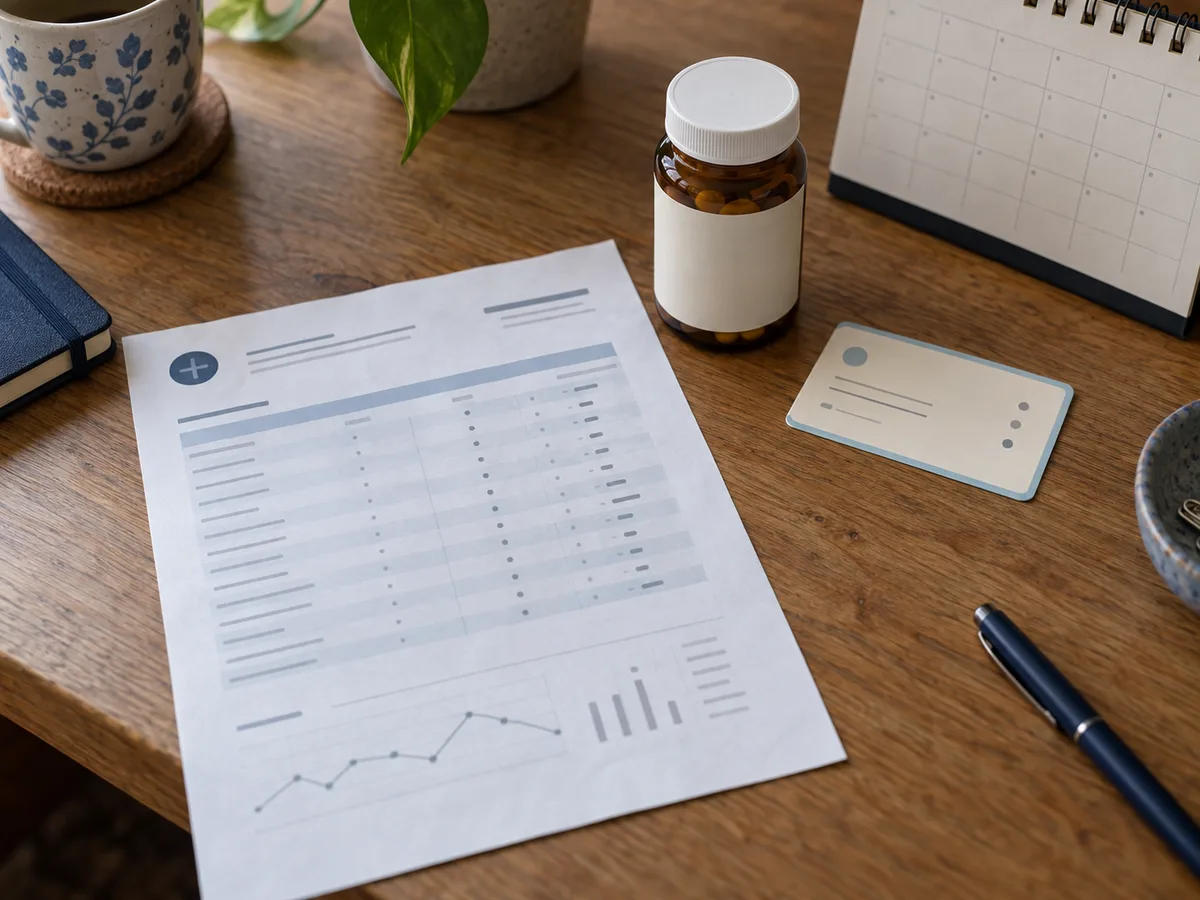
A result makes sense next to the medication change and the date.
Lab results almost always make more sense beside other facts. Medication changes matter. A new illness matters. Pregnancy can matter. Fasting status can matter. Hydration can matter. Recent exercise can matter. Even which lab processed the sample can matter.
This is one reason patients should bring the actual report to follow-up visits when possible. The report may show units, ranges, comments, specimen timing, or related tests that a quick portal summary leaves out. If you are preparing for that conversation, it helps to fold the report into the same prepare for doctor appointment process you use for the rest of your records.
When you do this well, the report stops being a mystery document and becomes part of a broader story about your health.
What Questions to Ask Your Clinician

Patients do not need to ask dozens of questions to get value from lab follow-up. A few focused questions work better.
Ask what the result means in the context of your own history. Ask whether the value changed enough to matter. Ask whether any medicines or supplements might have influenced it. Ask what should happen next. Does the clinician want repeat testing, a medication change, watchful waiting, or no action at all.
If the test ties to a condition you already manage, ask what number or trend the clinician is watching most closely. That keeps your attention on the piece of the report that matters instead of every number on the page.
Why Good Recordkeeping Makes Lab Results Easier to Use
Lab results become more useful when they are connected to the rest of the record. A result may explain a medication change. It may connect to a hospital visit, a symptom note, or a specialist referral. If you keep those pieces together, the report stops feeling isolated.
That is where a patient-controlled record system can help. KeepMD fits into this workflow as a place where scanned reports, portal downloads, and visit notes can live in one timeline. If you want a purpose-built workflow, the lab results tracker gives your lab results report a home beside dates, notes, and follow-up context. That matters because patients often need to interpret results while also keeping track of medication management decisions, follow-up visits, and prior history.
Lab reports are different from EOBs and medical bills, but people often review them during the same paperwork session. If you also need to understand EOB text, KeepMD offers a separate browser extension for local plain-English explanations of pasted or selected bill text.
That broader timeline is especially useful when lab work is only one part of the question. A parent may need to compare a ferritin result with a recent diet change, a specialist note, and a school health packet. Another patient may need to look at lab trends next to an imaging report, blood pressure readings, or proof of recent vaccines. Keeping those records together, including documents stored in an immunization history app, makes the follow-up conversation much more grounded in the full story.
The Right Goal Is Clarity, Not Self-Diagnosis
Patients benefit from learning how to read lab results because it lowers fear, improves follow-up questions, and makes long-term tracking easier. The goal is not to turn each portal notification into a private diagnostic session. The goal is to know what you are looking at, understand what part needs context, and carry the report into a better conversation.
That is enough to make a real difference. When you can read the structure of the report, spot the trend, and bring the right question into the room, you stop feeling shut out of your own data. You start using it.
Patients do not need to become amateur laboratorians to benefit from this skill. They only need enough confidence to see what the test was, how the result changed, and what kind of follow-up deserves attention. Once you have that, portal alerts feel less like random anxiety triggers and more like part of a record you can actually work with over time.