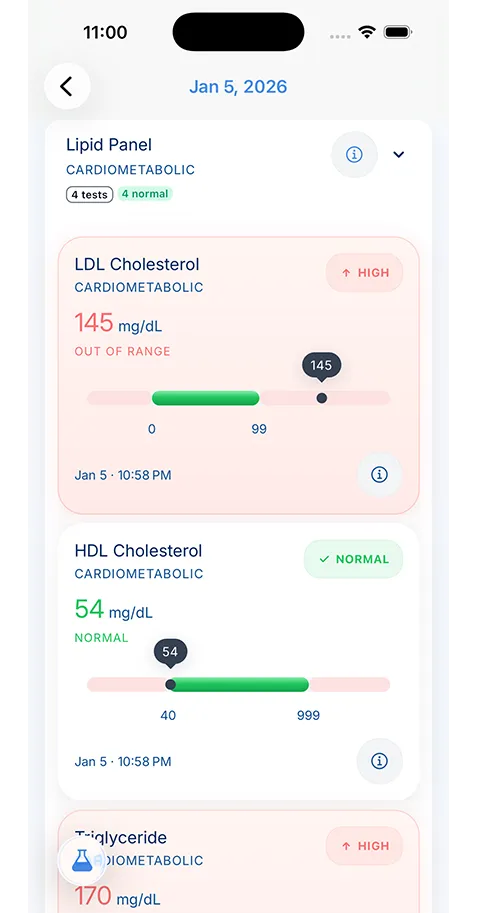
Google Fit can contribute activity and wellness history such as movement, workouts, and other data collected through Android and connected apps.
Google Fit Integration
Bring your Google Fit activity and wellness history into KeepMD so Android health data stays connected to your medical record.
Platform
Android phones, Wear OS devices, Google Fit ecosystem
Data Types
Activity history, workouts, movement trends, wellness records
Best For
People who want to keep Android wellness history connected to the rest of their record
Category
Google Fit data still matters if it holds your history
Plenty of people have years of activity history in Google Fit. That history can show changes in routine, exercise, and day-to-day function across a long stretch of life. You may not open the app every day now, but the record still matters if it captures a period you want to compare against your current health.
Google Fit medical records workflows are strongest when the activity history sits beside the documents that explain it. KeepMD gives you a place to keep Google Fit beside scanned reports, notes from appointments, and the records that explain why an activity trend changed.
A long activity history is useful when health changes slowly
Two weeks, in context
Sleep beside the medication change
Illustration with example readings. Not a KeepMD screen.
Sleephours a night
Home blood pressuremmHg, mornings
- Sleep, first week → second week
- 6.2 h → 7.2 h
- Blood pressure, before the change → last 7 days
- 142/90 → 129/83
The readout, computed from the same example data
What this guide's data adds
- Activity history
- Workouts
- Movement trends
- Wellness records
Keep it with visit summaries and scanned reports
You do not always need minute-level technical detail. Many times you need a clean record of whether you were moving more, sleeping differently, or sustaining exercise through a certain period.
Google Fit can support that kind of long-range view. It helps when you want to compare:
- activity before and after treatment
- workout consistency across a season
- changes in routine after an injury or illness
- movement history beside current prepare for doctor visits
That gives Google Fit a role in the record instead of leaving it as an archive you rarely check.
Google Fit belongs in the larger Android record workflow
If you use Android, you may collect health data across several services. Some of that data sits in device apps. Some of it lands in Google Fit. Some of it may also move through Health Connect integration. The problem is not collection. The problem is putting those pieces somewhere you can review them with context.
If you are deciding where the Android sharing layer ends and a patient-controlled record begins, compare Health Connect and a personal health record before choosing the workflow.
KeepMD helps you connect Google Fit to medical records and bring the Android side of your health history into one place. That matters when you want your phone data to live beside:
- portal exports
- scanned paperwork from scan medical records
- symptom notes and appointment prep
- related commercial pages such as a secure medical records app
- private access through an offline medical records app
The record grows stronger when you stop separating wellness data from the rest of your information.
Google Fit can support follow-up and memory
Many people remember the big health events. Fewer remember the weekly pattern around them. A long activity history can show whether an issue built over months or appeared after a specific change. That gives you a cleaner starting point for follow-up questions.
You may want to look back and see whether your activity dropped before a diagnosis. You may want to compare old workout consistency against current recovery. You may want to show that a routine changed after medication, travel, surgery, or family stress.
Google Fit cannot answer those questions on its own. KeepMD helps you keep the history in the same record as the documents and notes that explain what happened next.
Privacy counts even for old wellness data
Older activity history still says a lot about your life. Over time, it can reveal routines, work patterns, exercise habits, and changes in daily function. That is enough reason to keep it inside a privacy-first system instead of letting it drift across separate services and forgotten exports.
KeepMD gives you a way to preserve that record while keeping on-device health data storage in view. That makes Google Fit integration useful for long-term organization, not only short-term syncing.
Use Google Fit as one layer of the record, not the whole record
The strongest setup uses Google Fit for what it does well: keeping a broad activity and wellness timeline from the Android side of your life. Then you pair that timeline with the materials that help you act on it.
That might include:
- medication changes from your own notes
- scanned referrals or after-visit summaries
- lab context from how to read lab results
- related device trends from the wider health device integrations cluster
When you put those pieces together, your Android data stops feeling like a separate archive.
Keep your Android history in a record you can revisit
Google Fit integration is about more than today’s step count. It is about keeping your Android wellness history available when you need a larger view. KeepMD helps you preserve that view in a private record that can travel with the rest of your health information.
If you have years of Google Fit data, do not leave it stranded. Bring it into the record that also holds the paperwork, notes, and context that make the history useful.
Key takeaways
- Google Fit can hold years of Android activity and wellness history that you may want to preserve in a broader record.
- KeepMD helps you connect Google Fit trends to paperwork, medications, and visit prep instead of leaving them in a separate app history.
- Google Fit integration is useful when you want to keep older Android wellness data accessible and comparable over time.
FAQ
A record gives that history context. You can compare it with scanned paperwork, medication changes, lab trends, and notes you keep before appointments.
Google Fit has been a consumer-facing activity history and wellness app. Health Connect works more like a data-sharing layer across Android health apps and services.
No. Google Fit is useful for activity and wellness history, but a medical records app stores the surrounding context: lab reports, scanned paperwork, medications, visit notes, and the questions you bring to care.
You might be interested in

Use KeepMD with Health Connect to gather Android health data from multiple apps inside one private personal health record.

Sync Apple Health data into KeepMD so device trends, lab reports, visit notes, and scanned medical records sit in one private timeline.

Sync Fitbit data into KeepMD so your sleep, activity, heart, and wellness trends stay connected to the rest of your health record.

Keep Dexcom glucose trends in view with your KeepMD record as CGM support rolls out through Apple Health, Health Connect, and planned direct Dexcom sync.
Your Records. One App. Total Control.
Stop chasing down files across hospital portals. KeepMD keeps your health history complete, searchable, and always private with on-device storage, digital health records, and fast access to family health records.
- On-device storage
- Searchable health history
- Family records in one place
5K+



Trusted by families
worldwide