Hospital integration guide

BJC HealthCare / WashU BJC Healthcare & Washington University · mypatientchart.org

BJC / WashU medical records

One MyChart can show several sources. Find the right request route for Barnes-Jewish Hospital, WashU clinics or BJC Medical Group.

Available to connect Connection status reviewed on

KeepMD is an independent personal health record app. It is not affiliated with, endorsed by, or operated by BJC HealthCare / WashU or Epic Systems Corporation. MyChart® is a trademark of Epic Systems Corporation.

Portal BJC / WashU MyChart mypatientchart.org
KeepMD connection BJC HealthCare & Washington University BJC/WashU MyChart route, with Barnes-Jewish Hospital records guidance; separate custodians remain separate
Records 314-362-3935 Barnes-Jewish Health Information Management

Start with the document you need

BJC and WashU share MyChart at mypatientchart.org, but their records offices remain separate. Use the visit location to choose between Barnes-Jewish Hospital, a WashU clinic and BJC Medical Group. This guide does not establish coverage for every BJC facility.

Which BJC HealthCare / WashU records can you bring together?

Use these ten categories to check your connected records. What arrives depends on what the hospital has recorded and shares for your account and dates of care.

10 categories to check

10 types

Use this checklist for an Epic connection. Available content depends on your account; listing a category does not confirm that records in it have been imported.

  • Lab results
    Blood work and other laboratory results. Check the collection date, units, and reference range when comparing tests from different visits.
  • Vital signs
    Measurements such as blood pressure, pulse, height, and weight. Look at the visit date so an older measurement is not mistaken for a current one.
  • Medications (prescriptions)
    Prescription records may include current and past orders. A prescription entry does not establish what you take today; discuss discrepancies with your care team.
  • Allergies and intolerances
    Recorded allergies, intolerances, and reactions. An empty list does not confirm that you have no allergies; compare it with information you have given your clinician.
  • Immunizations
    Vaccinations documented in the chart. Doses given at a pharmacy, school, or another health system may need to be obtained from that source.
  • Health conditions and problems
    Diagnoses and entries on the problem list. Some entries describe past care; ask the treating team about an unfamiliar or incorrect entry.
  • Procedures
    Documented procedures and treatment history. For the details of an operation, look for the operative report as well as the procedure entry.
  • Visits and encounters
    Office visits, emergency visits, and hospital stays. Compare the facility and dates with your own appointment or discharge paperwork.
  • Clinical documents and notes
    Released clinical notes, visit summaries, and other documents. Availability can differ by document and date; request a missing note by visit and clinician.
  • Diagnostic reports
    Written findings from imaging or other diagnostic tests. The report explains the findings; the actual scan images may follow a separate download or request process.

Not yet verified

1 type

These may exist in the portal, but KeepMD has not verified their availability through this connection.

  • Categories available in your account
    BJC / WashU MyChart coverage depends on the patient, encounter and permissions. Compare each category with the portal; this guide does not certify every category as imported.

Usually a separate request

2 types

Records BJC HealthCare / WashU typically releases through its medical-records process, not through the patient-access connection.

  • Images and reports
    The report and the image files are different records. Confirm the imaging location and study date before requesting a copy.
  • Complete chart or certified documents
    Use the formal request route for the correct custodian; a portal view can be partial.

The BJC HealthCare / WashU connection in seven steps

Illustrative walkthrough: find BJC HealthCare & Washington University, confirm the BJC / WashU MyChart portal, and review access before sharing information. The screens and counts are examples, not a record of an import from this hospital.

  1. Step 1 of 7

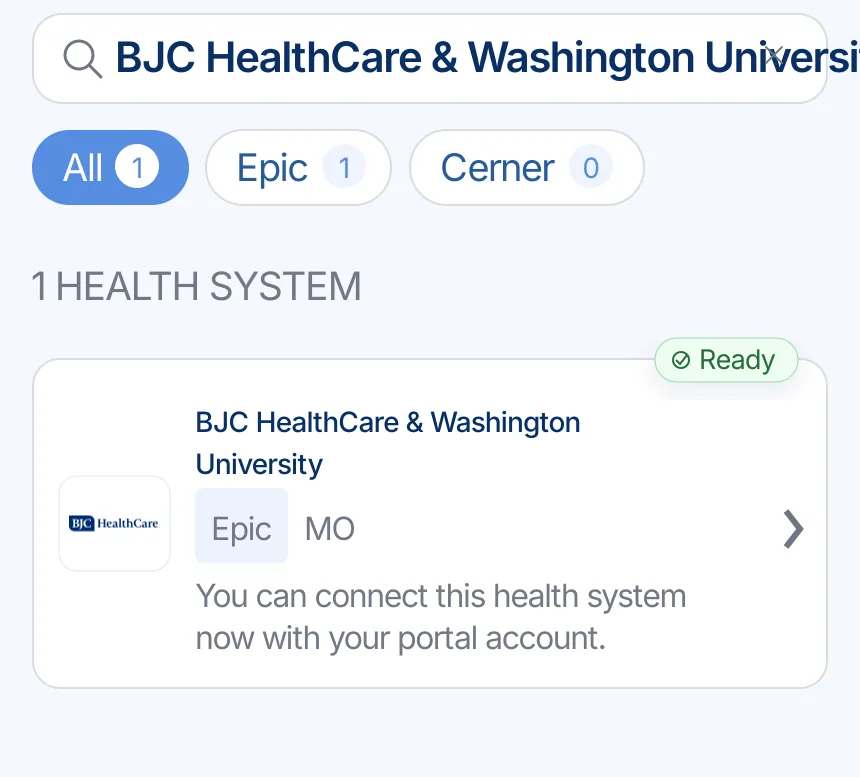
    Find BJC HealthCare & Washington University

    Search for BJC HealthCare & Washington University in KeepMD. Confirm the portal is mypatientchart.org and matches the location that treated you.

    Illustrative example: KeepMD search results showing BJC HealthCare & Washington University ready to connect
    Example of provider search in KeepMD.
  2. Step 2 of 7

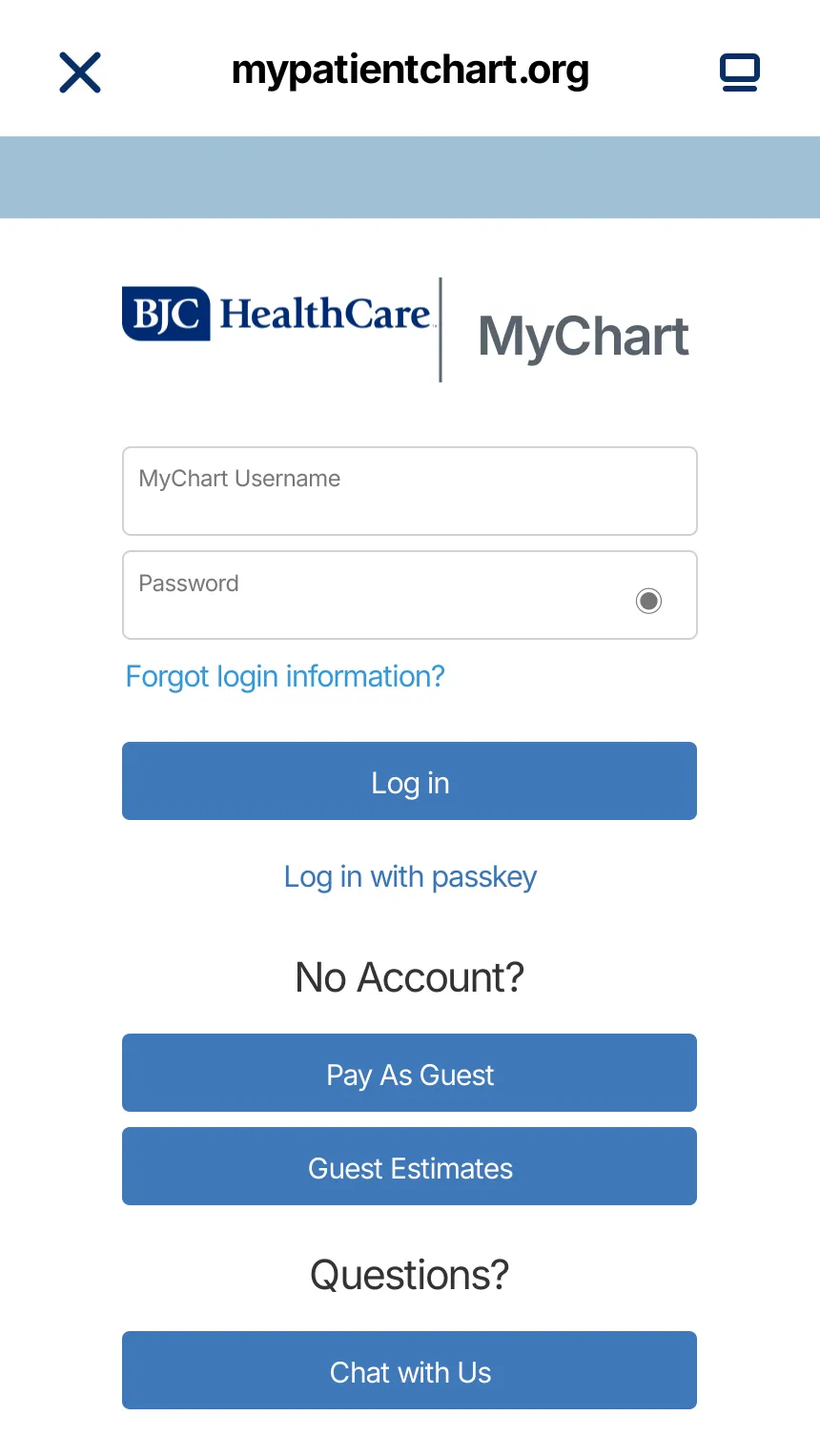
    Continue to BJC / WashU MyChart

    KeepMD opens the provider-owned sign-in page. Enter credentials there; KeepMD does not receive or store your password.

    Illustrative example: BJC / WashU MyChart sign-in handoff for the BJC HealthCare / WashU connection
    Secure handoff to BJC / WashU MyChart.
  3. Step 3 of 7

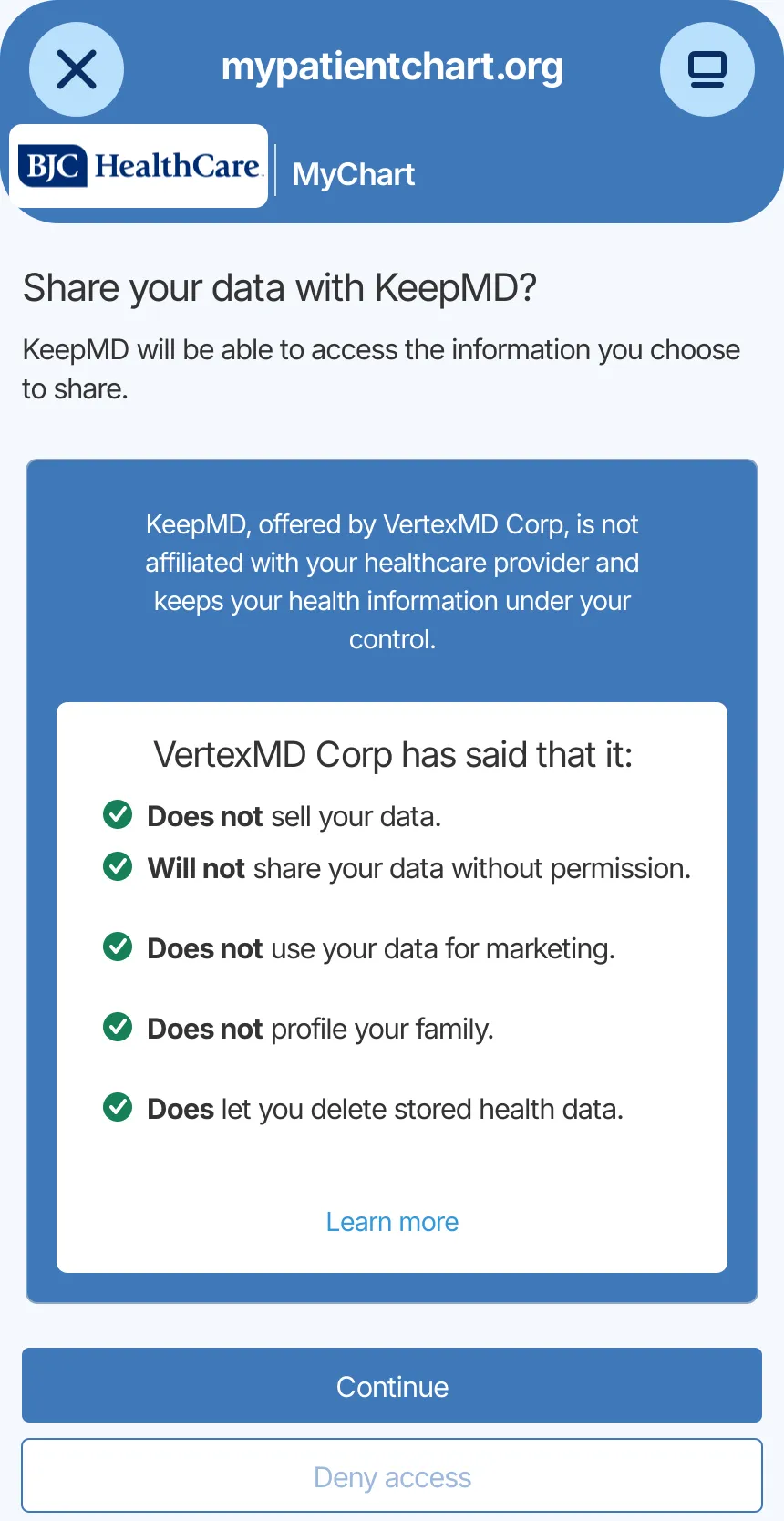
    Review access

    Review the information the portal can share and decide whether to authorize the connection.

    Illustrative example: KeepMD data-sharing consent screen for the BJC HealthCare / WashU connection
    Access review for the provider connection.
  4. Step 4 of 7

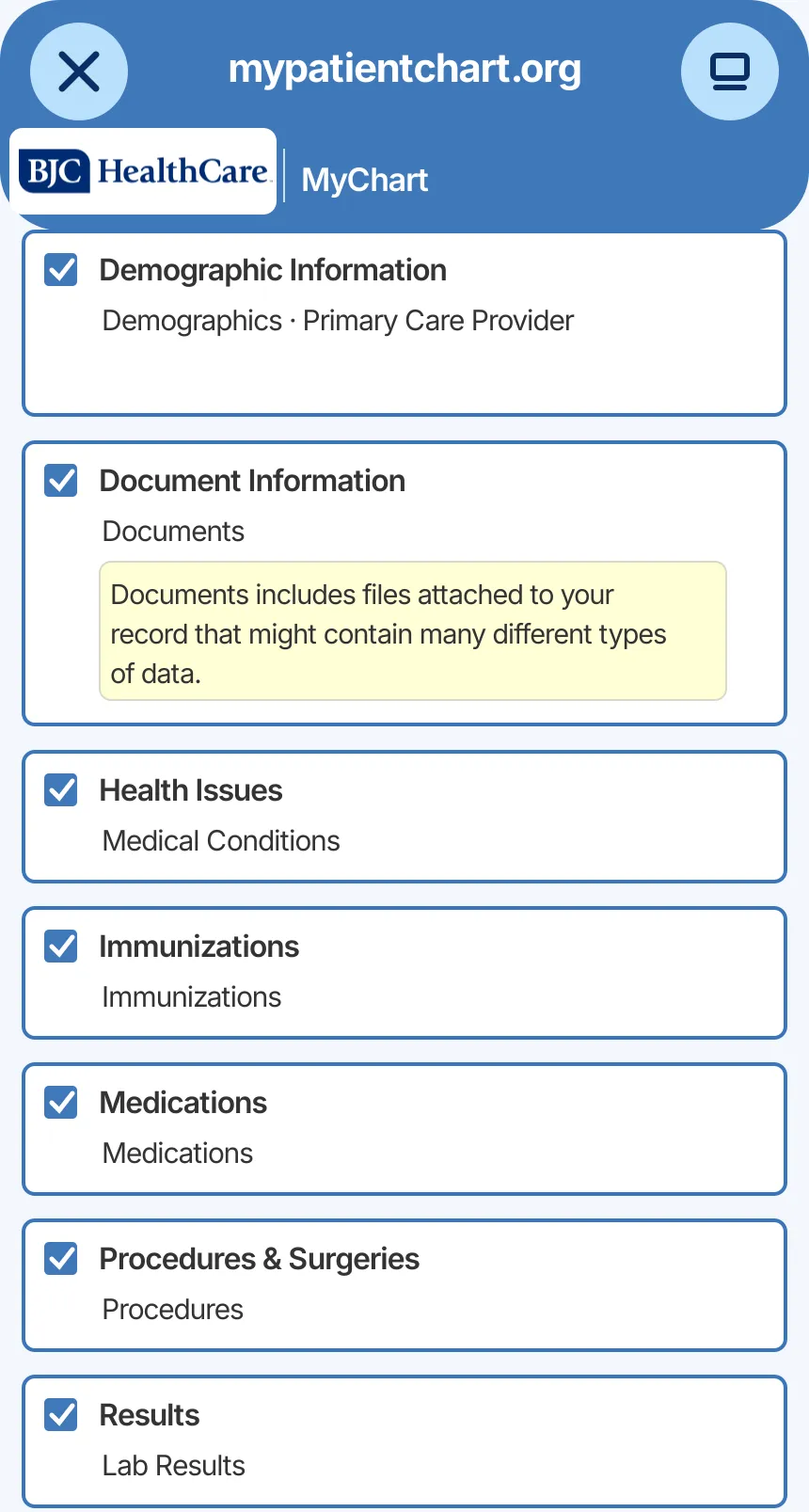
    Choose record categories

    Select the information you want to organize. Actual availability depends on your account.

    Illustrative example: Epic MyChart record categories available to choose for the BJC HealthCare / WashU connection
    Health-information categories selected for import.
  5. Step 5 of 7

    Import available records

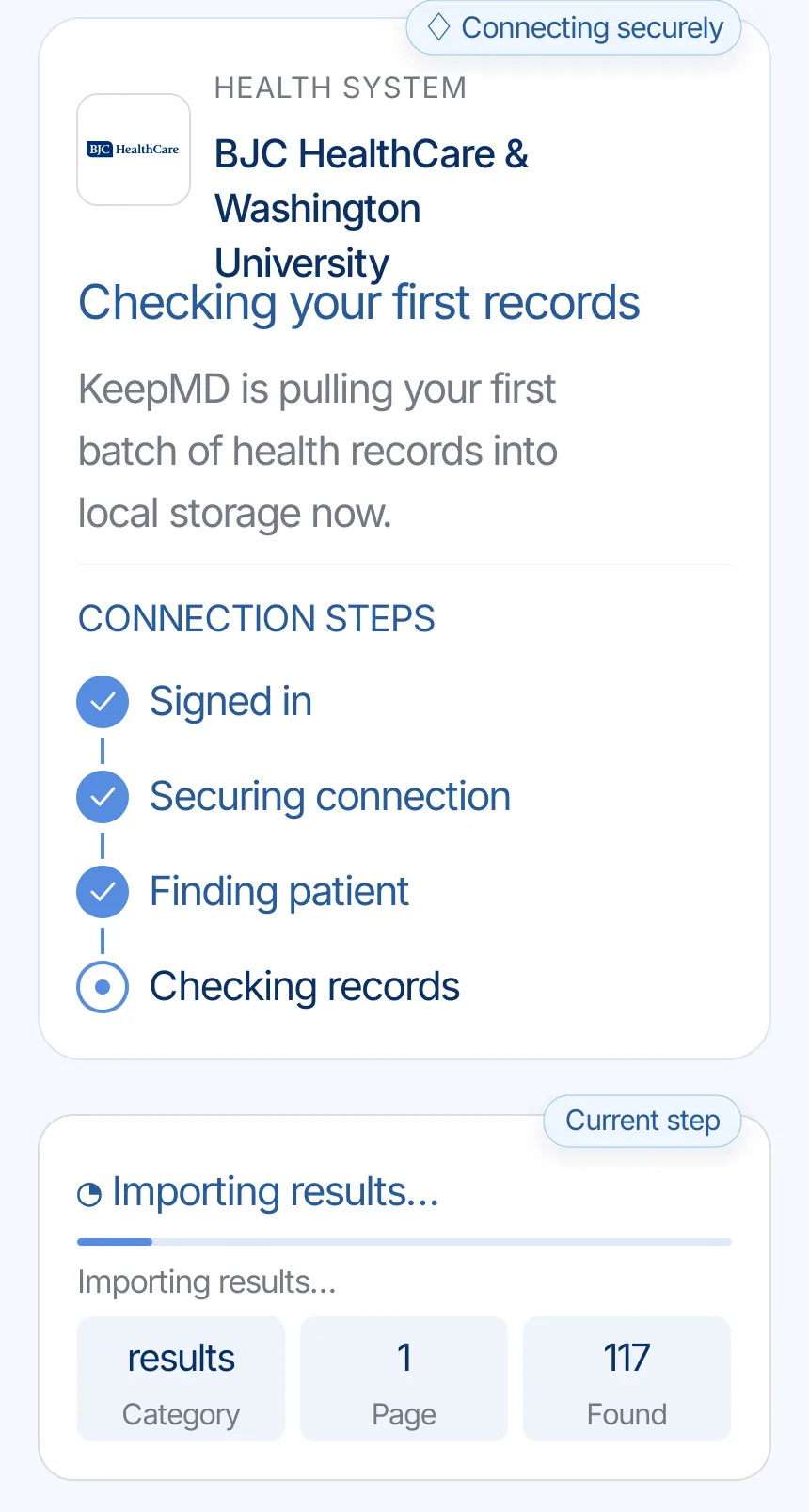
    KeepMD secures the connection and checks the information the provider makes available.

    Illustrative example: KeepMD checking the first records from BJC HealthCare & Washington University
    KeepMD checking available records.
  6. Step 6 of 7

    Review organized records

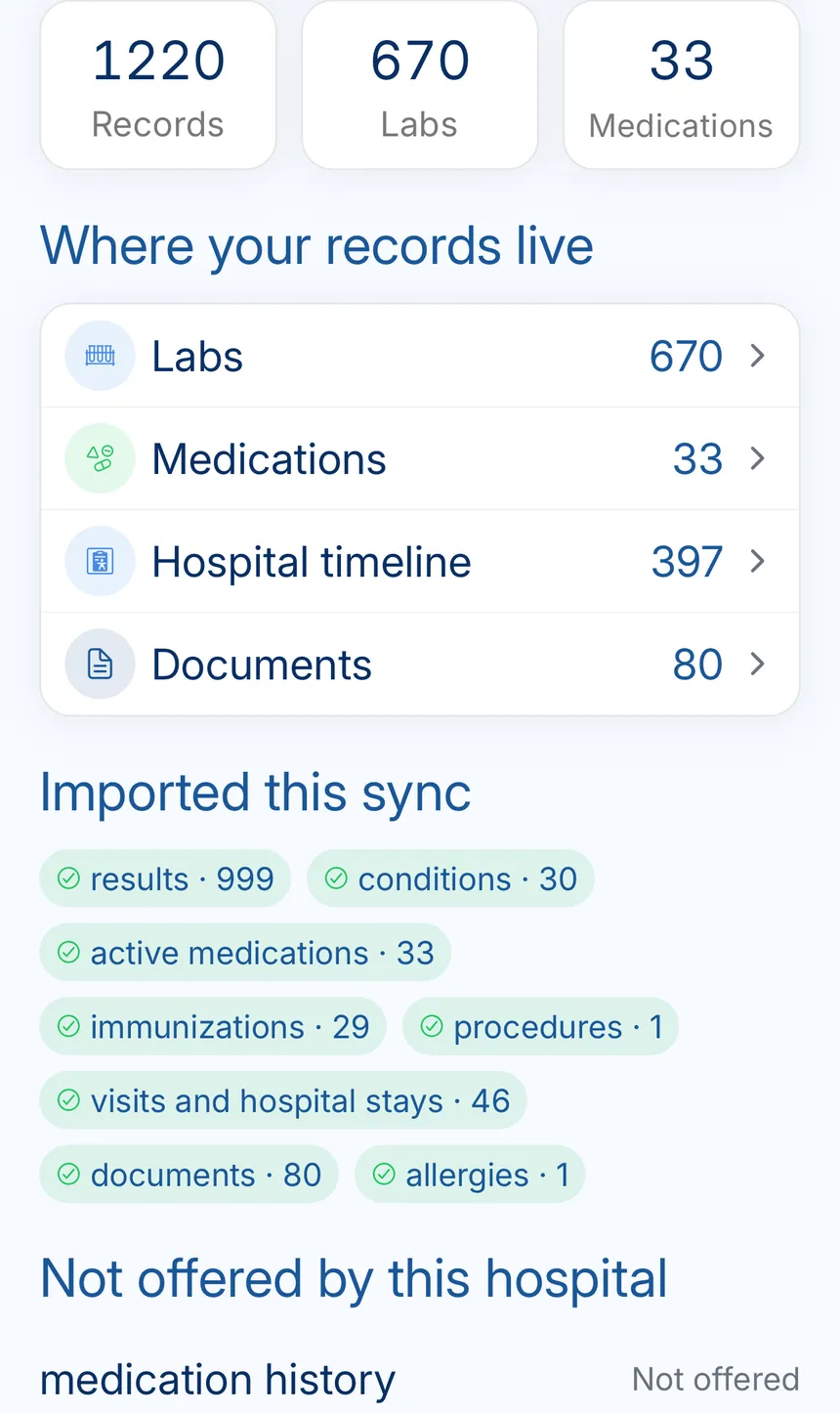
    KeepMD groups what the connection returns. Categories and totals can vary.

    Illustrative example: KeepMD record summary showing organized labs, medications, timeline events, and documents
    Provider records organized in KeepMD.
  7. Step 7 of 7

    See the connection summary

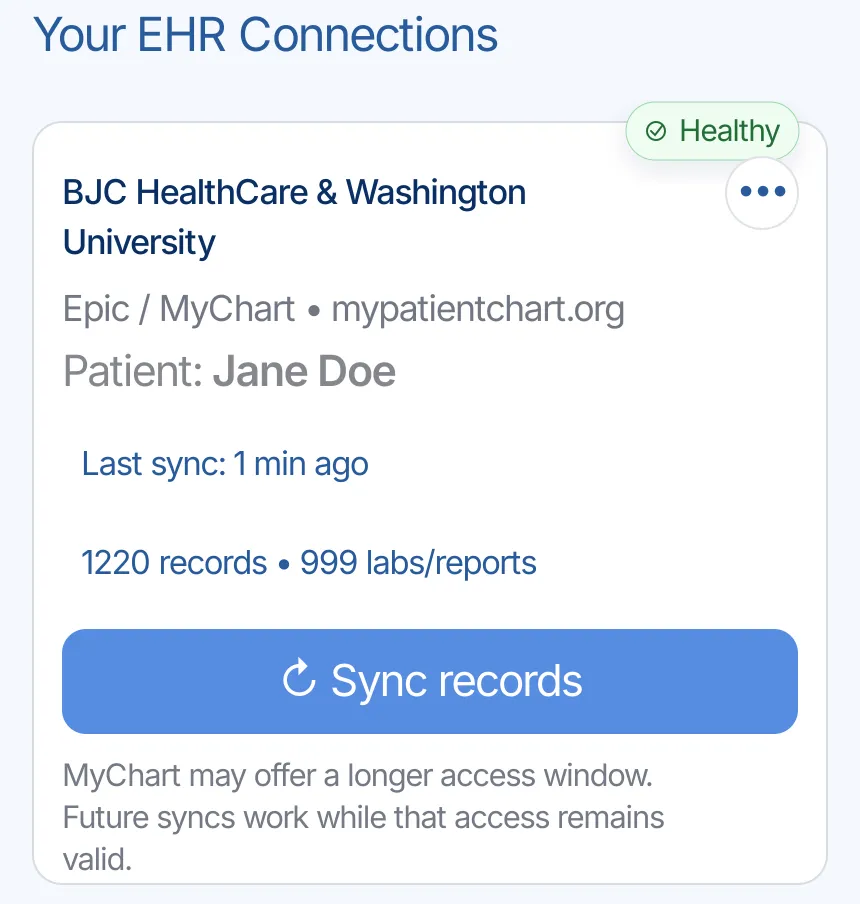
    The summary keeps the provider, last update, and organized categories together.

    Illustrative example: Healthy BJC HealthCare & Washington University connection in KeepMD with a recent sync and Sync records control
    BJC HealthCare / WashU connection summary in KeepMD.

BJC HealthCare / WashU: access and requests

Everything the connection does not cover: identifying the right organization, portal downloads, formal requests, privacy, and the post-import check.

Identify your portal and treating location

Health system
BJC HealthCare / WashU
Patient portal
BJC Healthcare & Washington University (mypatientchart.org)
Platform
Epic MyChart
Also appears as
  • BJC HealthCare / WashU
  • BJC HealthCare & Washington University

BJC HealthCare is the East Region of BJC Health. BJC HealthCare and Washington University Physicians use a shared MyChart portal at mypatientchart.org. KeepMD lists the existing connection under BJC HealthCare & Washington University. Start by checking a visit you recognize. This guide uses Barnes-Jewish Hospital’s records instructions and distinguishes hospital documents from physician-office documents. It does not assume that every organization under the wider BJC system uses this same patient route or records custodian.

Review and download your documents

A single care episode can involve more than one records office. Barnes-Jewish explicitly explains that Washington University Clinics maintain their own medical records and gives a separate Release of Information contact. BJC Medical Group also has its own records guidance. Write down whether the missing item came from the hospital admission, a WashU clinic appointment or a Medical Group office. A connected portal can simplify everyday access, but it should not replace that source check when you need a complete packet for a new clinician.

Request the right records

For a personal or child’s copy of Barnes-Jewish records, the hospital page offers an individual request. Sending records to a third party, including a new healthcare provider, uses an Authorization for Release of Information. Follow the destination printed on the current form and have the appropriate patient or guardian sign it. Barnes-Jewish HIM lists 314-362-3935 and fax 314-747-7211. These are hospital-records contacts, not a universal destination for every BJC or WashU document.

Records 314-362-3935 Barnes-Jewish Health Information Management
Portal help 866-273-1966 BJC / WashU MyChart

Review access before authorizing

Authorize through BJC HealthCare / WashU's official portal and confirm the patient. Follow the hospital's proxy permissions when helping a relative.

Keep passwords and sign-in codes private. To stop future app access, check the portal's connected-app controls. Removing permission does not automatically delete files already downloaded or shared. KeepMD is independent of BJC HealthCare / WashU and Epic. The screens are examples with synthetic values, not evidence of a hospital-specific import.

Review imported records and permissions

After your first sync, compare a known Barnes-Jewish or WashU visit with MyChart. Verify the date, patient and source before concluding that a document is missing. If the source is a WashU clinic, direct a formal request to its own records office; if it is another BJC facility, consult that facility’s guidance. Ask the source organization to review an inaccurate entry. Care Everywhere sharing controls, app access and deletion of downloaded copies are separate actions, so check each relevant control rather than assuming one request changes them all.

Known BJC HealthCare / WashU quirks worth checking

The visit is missing

Portal assistance is separate from release-of-information work. The Barnes-Jewish page directs MyChart account questions to mypatientchart.org or 866-273-1966. Use that route for sign-in or account issues, and the records route for missing documents. If two offices have similar names, identify the treating location and the date on the document before calling. Avoid sending a duplicate authorization to several destinations without checking who holds the record; doing so can make it harder to track which request has actually been completed.


You need original images

Barnes-Jewish publishes separate instructions for radiology images. Ask whether the receiving clinician needs the report, original study files or both, and check the permitted delivery or pickup process. A portal result and a KeepMD timeline item are not evidence that the scan files were imported. If someone else will collect material for you, follow the imaging department’s authorization instructions. Keep the study date and delivery confirmation with your checklist so the receiving office can identify the examination it is waiting for.

FAQ

BJC HealthCare / WashU records questions

Sources