
Hospital integration guide

Atrium Health Atrium Health · my.atriumhealth.org

Your Atrium Health medical records

Use MyAtriumHealth, request a formal copy from the right Atrium Health records office, and check which hospital treated you before organizing records in KeepMD.

Available to connect Connection status reviewed on

KeepMD is an independent personal health record app. It is not affiliated with, endorsed by, or operated by Atrium Health or Epic Systems Corporation. MyChart® is a trademark of Epic Systems Corporation.

Portal MyAtriumHealth my.atriumhealth.org
KeepMD connection Atrium Health MyAtriumHealth route; Wake Forest Baptist is a separate route, and Navicent and Floyd have their own records offices
Records 844-383-2109 Health Information Management, release of information

Start with the document you need

MyAtriumHealth shows part of your Atrium Health record. Request a formal copy through the portal's Sharing Hub or the patient request form, send it to the records office for the hospital that treated you, and check whether that was a Charlotte-area hospital, Wake Forest Baptist, Navicent or Floyd before connecting.

Which Atrium Health records can you bring together?

Use these ten categories to check your connected records. What arrives depends on what the hospital has recorded and shares for your account and dates of care.

10 categories to check

10 types

Use this checklist for an Epic connection. Available content depends on your account; listing a category does not confirm that records in it have been imported.

  • Lab results
    Blood work and other laboratory results. Check the collection date, units, and reference range when comparing tests from different visits.
  • Vital signs
    Measurements such as blood pressure, pulse, height, and weight. Look at the visit date so an older measurement is not mistaken for a current one.
  • Medications (prescriptions)
    Prescription records may include current and past orders. A prescription entry does not establish what you take today; discuss discrepancies with your care team.
  • Allergies and intolerances
    Recorded allergies, intolerances, and reactions. An empty list does not confirm that you have no allergies; compare it with information you have given your clinician.
  • Immunizations
    Vaccinations documented in the chart. Doses given at a pharmacy, school, or another health system may need to be obtained from that source.
  • Health conditions and problems
    Diagnoses and entries on the problem list. Some entries describe past care; ask the treating team about an unfamiliar or incorrect entry.
  • Procedures
    Documented procedures and treatment history. For the details of an operation, look for the operative report as well as the procedure entry.
  • Visits and encounters
    Office visits, emergency visits, and hospital stays. Compare the facility and dates with your own appointment or discharge paperwork.
  • Clinical documents and notes
    Released clinical notes, visit summaries, and other documents. Availability can differ by document and date; request a missing note by visit and clinician.
  • Diagnostic reports
    Written findings from imaging or other diagnostic tests. The report explains the findings; the actual scan images may follow a separate download or request process.

Not yet verified

1 type

These may exist in the portal, but KeepMD has not verified their availability through this connection.

  • Categories available in your account
    MyAtriumHealth coverage depends on the patient, encounter and permissions. Compare each category with the portal; this guide does not certify every category as imported.

Usually a separate request

2 types

Records Atrium Health typically releases through its medical-records process, not through the patient-access connection.

  • Images and reports
    The report and the image files are different records. Confirm the imaging location and study date before requesting a copy.
  • Complete chart or certified documents
    Use the formal request route for the correct custodian; a portal view can be partial.

The Atrium Health connection in seven steps

Illustrative walkthrough: find Atrium Health, confirm the MyAtriumHealth portal, and review access before sharing information. The screens and counts are examples, not a record of an import from this hospital.

  1. Step 1 of 7

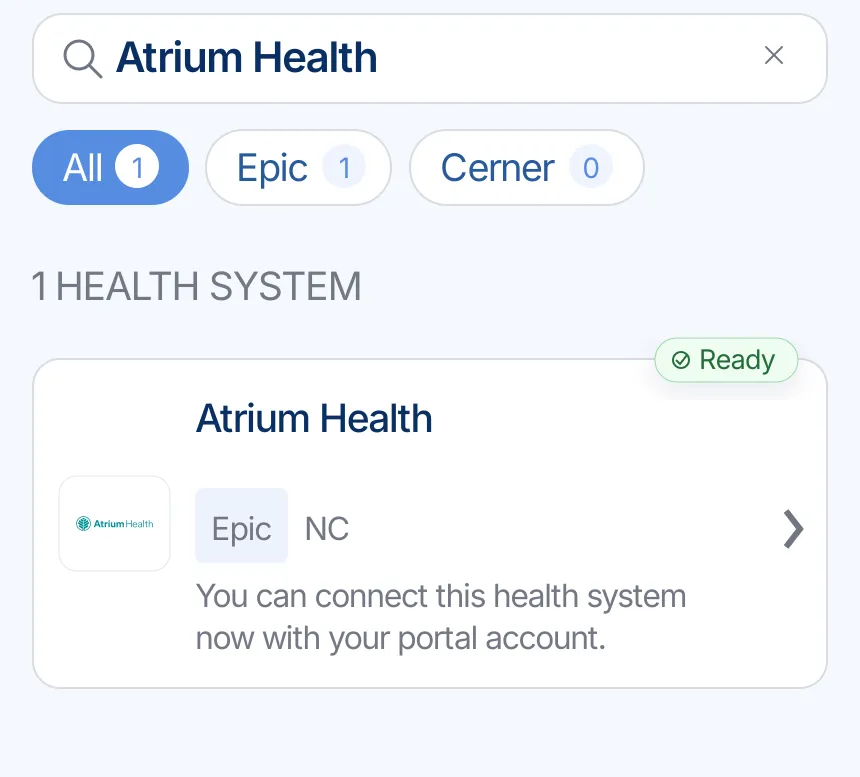
    Find Atrium Health

    Search for Atrium Health in KeepMD. Confirm the portal is my.atriumhealth.org and matches the location that treated you.

    Illustrative example: KeepMD search results showing Atrium Health ready to connect
    Example of provider search in KeepMD.
  2. Step 2 of 7

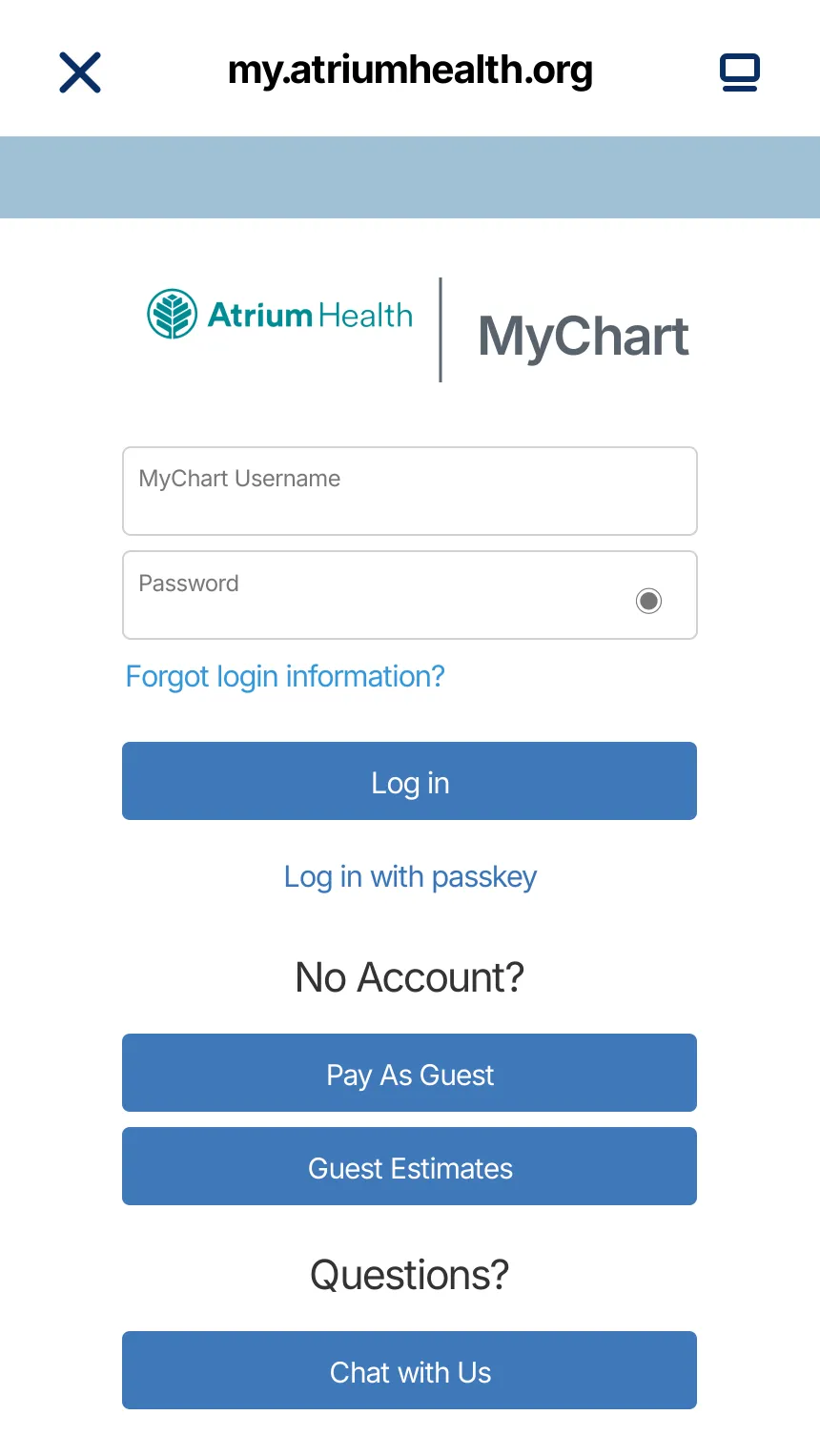
    Continue to MyAtriumHealth

    KeepMD opens the provider-owned sign-in page. Enter credentials there; KeepMD does not receive or store your password.

    Illustrative example: MyAtriumHealth sign-in handoff for the Atrium Health connection
    Secure handoff to MyAtriumHealth.
  3. Step 3 of 7

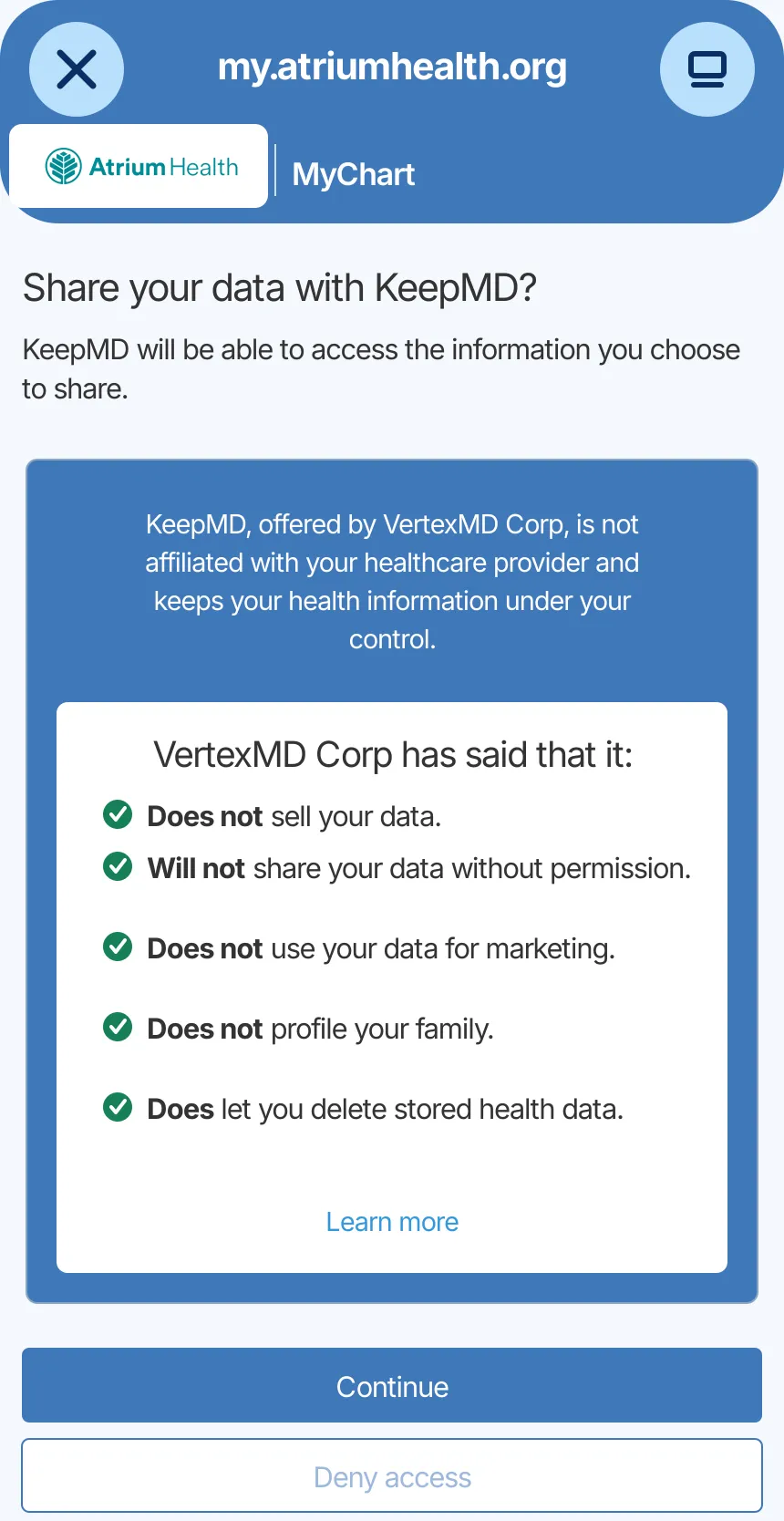
    Review access

    Review the information the portal can share and decide whether to authorize the connection.

    Illustrative example: KeepMD data-sharing consent screen for the Atrium Health connection
    Access review for the provider connection.
  4. Step 4 of 7

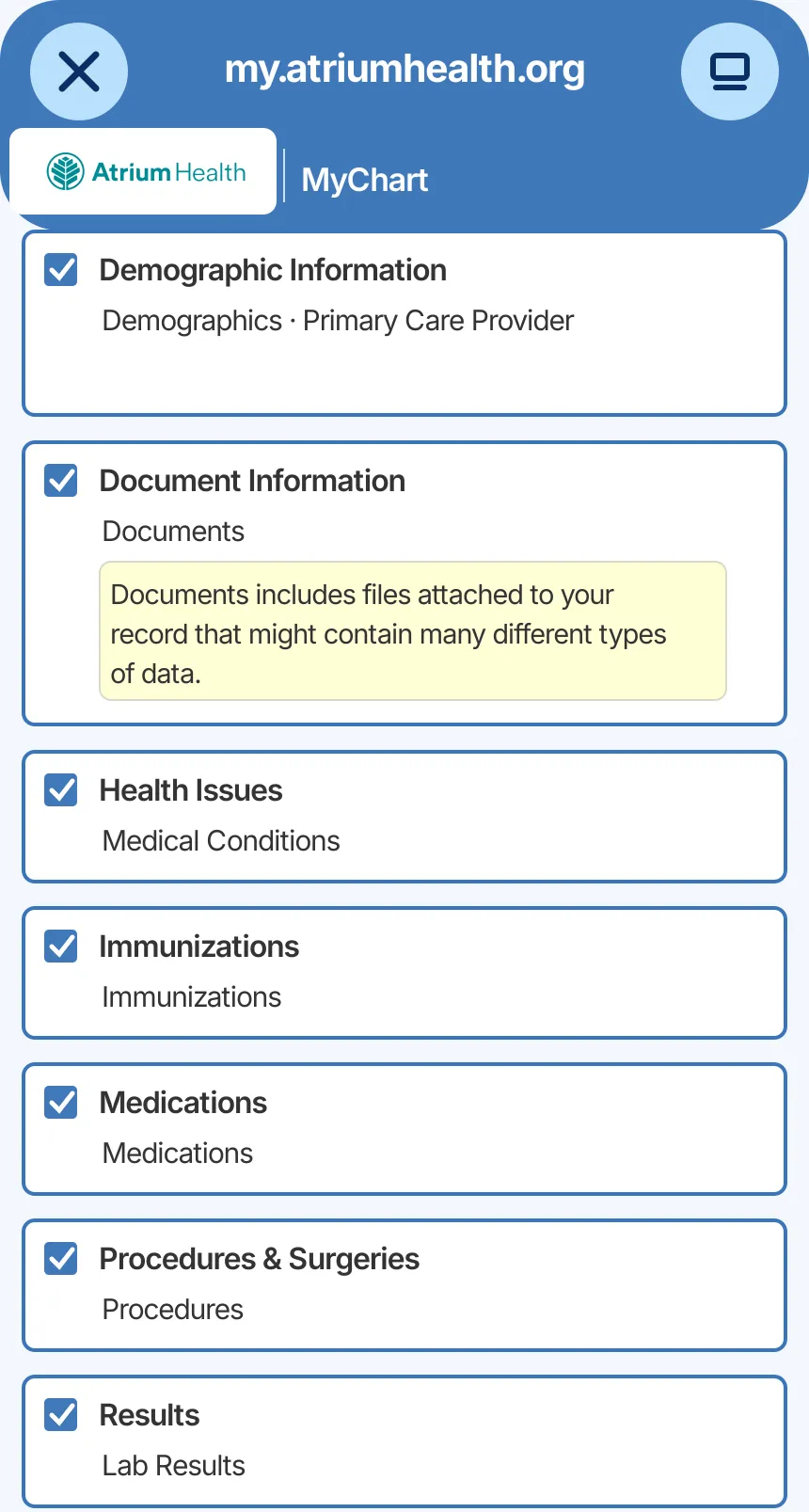
    Choose record categories

    Select the information you want to organize. Actual availability depends on your account.

    Illustrative example: Epic MyChart record categories available to choose for the Atrium Health connection
    Health-information categories selected for import.
  5. Step 5 of 7

    Import available records

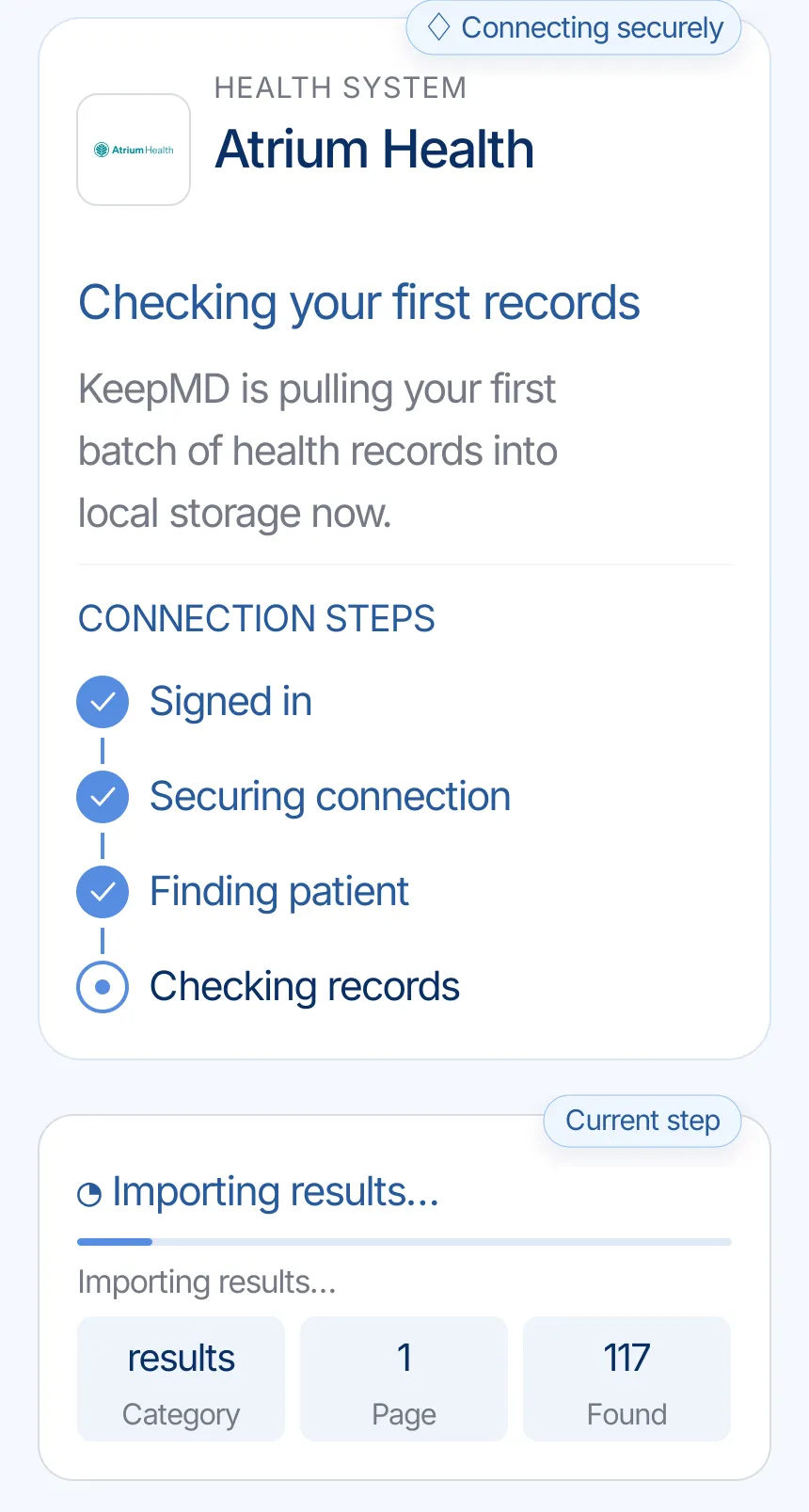
    KeepMD secures the connection and checks the information the provider makes available.

    Illustrative example: KeepMD checking the first records from Atrium Health
    KeepMD checking available records.
  6. Step 6 of 7

    Review organized records

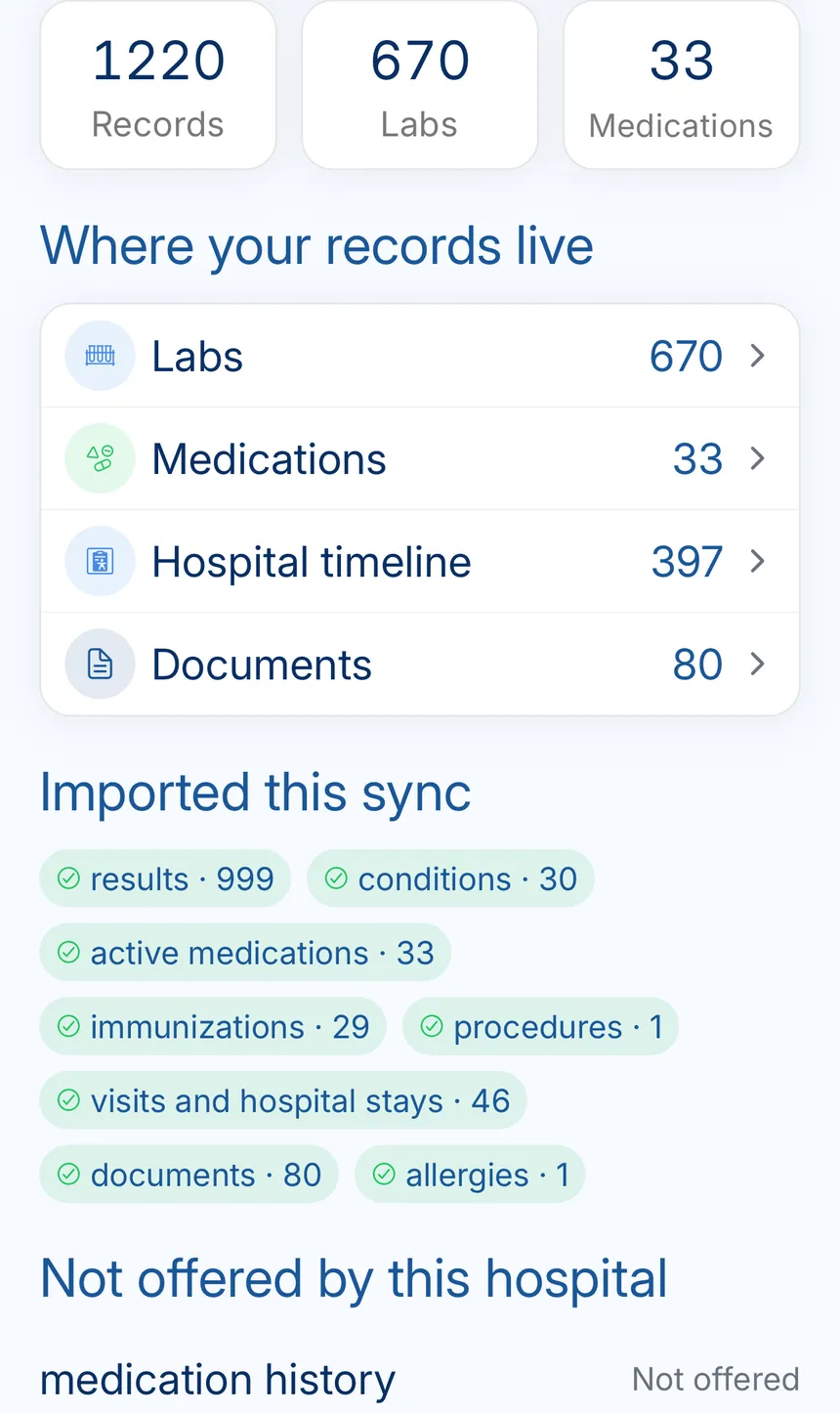
    KeepMD groups what the connection returns. Categories and totals can vary.

    Illustrative example: KeepMD record summary showing organized labs, medications, timeline events, and documents
    Provider records organized in KeepMD.
  7. Step 7 of 7

    See the connection summary

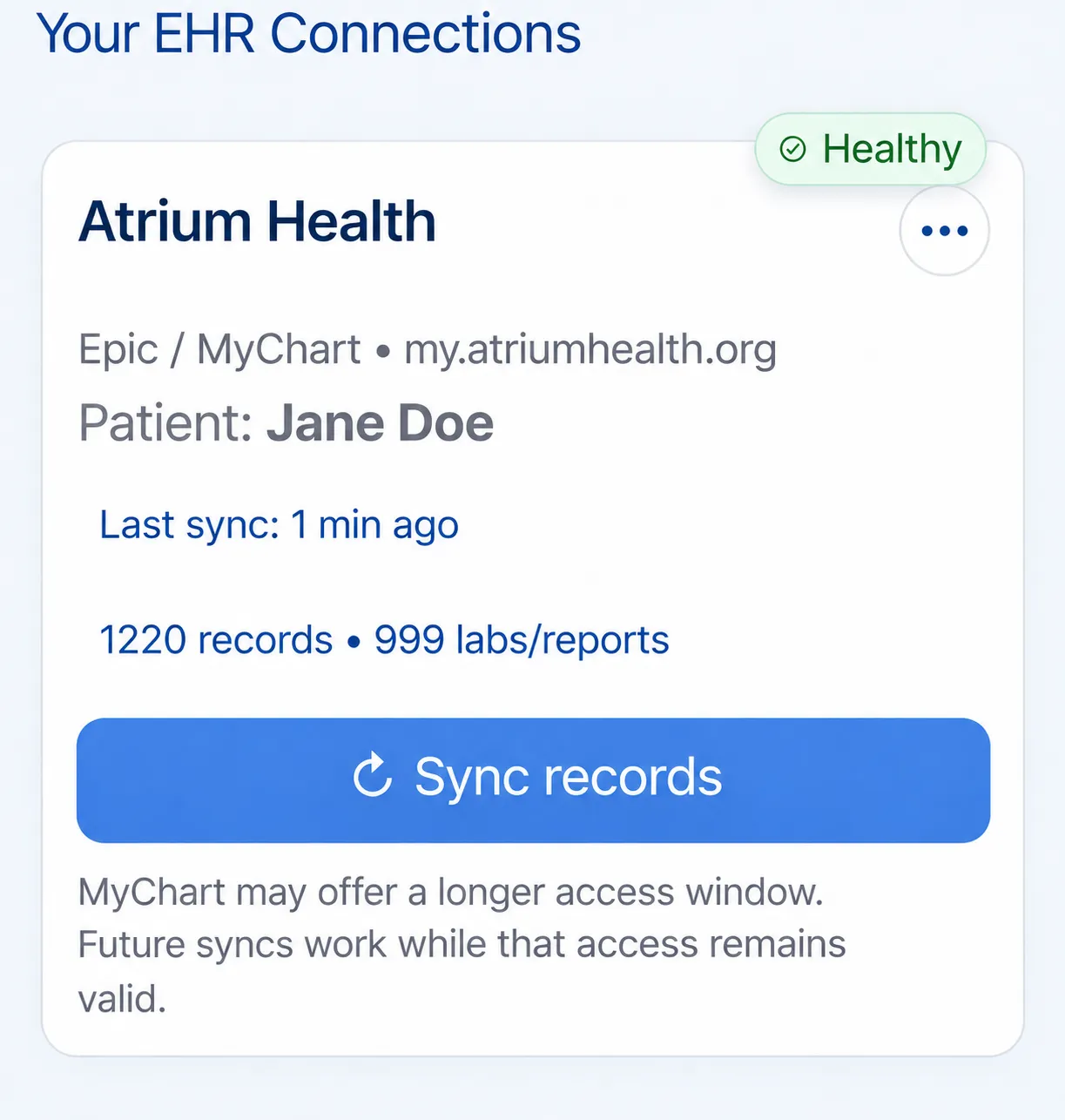
    The summary keeps the provider, last update, and organized categories together.

    Illustrative example: healthy Atrium Health connection in KeepMD with a recent sync and Sync records control
    Atrium Health connection summary in KeepMD.

Atrium Health: access and requests

Everything the connection does not cover: identifying the right organization, portal downloads, formal requests, privacy, and the post-import check.

Identify your portal and treating location

Health system
Atrium Health
Patient portal
Atrium Health (my.atriumhealth.org)
Platform
Epic MyChart
Also appears as
  • Atrium Health
  • Atrium Health Charlotte
  • Carolinas Medical Center

MyAtriumHealth is the patient portal for Atrium Health, part of Advocate Health, and covers the Charlotte-area hospitals such as Carolinas Medical Center, Levine Children's, Atrium Health Pineville, Cabarrus and Union. Atrium Health Wake Forest Baptist patients also sign in there since 2024, when MyAtriumHealth replaced myWakeHealth. In KeepMD, search for Atrium Health and check that the portal domain is my.atriumhealth.org; the Wake Forest Baptist route is listed separately, so pick the one that matches the hospital that treated you.

Review and download your documents

Atrium's records page sends portal users to Menu, Sharing, then Sharing Hub, where a short questionnaire creates the formal request. Without an account, print the Patient Request for Health Information form, available in English and Spanish, and send it by fax, mail or email to Corporate Health Information Management. Atrium does not release records by phone. Its right-to-review page says most copies arrive within a few days and no later than 30 days, with one possible 30-day extension explained in writing.

Request the right records

Choose the custodian by hospital. Charlotte-area requests go to Corporate Health Information Management Release of Information, PO Box 32861, Charlotte, NC 28232, fax 704-446-6037, phone 844-383-2109. Atrium Health Wake Forest Baptist uses the same phone and fax with its own Winston-Salem mailing address. Atrium Health Navicent in Macon and Atrium Health Floyd in Rome, Georgia, keep separate release-of-information offices. Adults sign for themselves; a guardian, executor or power of attorney attaches proof of authority.

Records 844-383-2109 Health Information Management, release of information

Review access before authorizing

Authorize through Atrium Health's official portal and confirm the patient. Follow the hospital's proxy permissions when helping a relative.

Keep passwords and sign-in codes private. To stop future app access, check the portal's connected-app controls. Removing permission does not automatically delete files already downloaded or shared. KeepMD is independent of Atrium Health and Epic. The screens are examples with synthetic values, not evidence of a hospital-specific import.

Review imported records and permissions

After the first import, compare one Atrium visit, its date and the record categories with MyAtriumHealth. If you were treated at Wake Forest Baptist, Navicent or Floyd, keep those sources on a separate line, because each has its own records office. A missing document can reflect portal scope, an unfinished request or a different custodian. Describe the gap without sharing your password. Corrections use Atrium's Health Information Amendment form or the portal's Request Health Information Change option; a second KeepMD sync cannot repair the source record.

Known Atrium Health quirks worth checking

The visit is missing

If a visit is missing from MyAtriumHealth, Atrium's FAQ explains that the portal does not show the entire record and that older documents need a formal request. Name the hospital, the dates and the exact note or result. For a child, a parent or legal representative completes the request; a minor who consented to certain care may sign alone. For a deceased patient, add proof that you are the executor or a notarized next-of-kin affidavit. KeepMD does not decide who is allowed to access an Atrium chart.


You need original images

Radiology reports are part of the Atrium medical record, but the image files are not. Atrium's records FAQ says to contact your radiology department for the actual images; the request forms also have an imaging section where you name the study, and they list CD and patient-portal delivery with fees that may apply. No central Charlotte imaging phone is published, so ask the records team which department fills the request. A report visible in MyAtriumHealth does not mean the images arrive in KeepMD.

FAQ

Atrium Health records questions

Sources