CMS hospital star rating
The top federal quality rating, awarded to both the Newport Beach and Irvine hospitals.
Medicare Care Compare 2026-07-15
Hospital integration guide
 Hoag Memorial Hospital Presbyterian Hoag Connect MyChart · hoagconnect.org
Connect Hoag Connect MyChart to KeepMD and import ten categories of records onto your device. This guide shows the connection flow, screen by screen, and keeps a clear path to the records no app connection carries.
KeepMD is an independent personal health record app. It is not affiliated with, endorsed by, or operated by Hoag Memorial Hospital Presbyterian or Epic Systems Corporation. MyChart® is a trademark of Epic Systems Corporation.
Hoag keeps your chart in one patient portal, Hoag Connect MyChart. The same chart covers the Newport Beach and Irvine hospitals, Hoag Medical Group offices, Hoag urgent care, and Hoag Orthopedic Institute.
KeepMD connects to that portal through Hoag's patient-access interface and imports your records onto your device: lab results, medications, allergies, immunizations, conditions, procedures, visits, vital signs, diagnostic reports, and clinical documents. Your Hoag chart then sits beside the rest of your health life in KeepMD, including scanned paperwork, prescriptions, imaging reports, and your family's records. You search one timeline instead of five portals.
KeepMD does not replace the portal. You will still open Hoag Connect MyChart to message your care team, book appointments, and pay bills. KeepMD is the private home for the records themselves.
Have records at another health system? Explore other Epic hospital guides.
No app imports a complete legal medical record. This table shows what the Hoag connection returned, what remains unverified, and what Hoag releases through its own process.
Record categories KeepMD can organize from Hoag Memorial Hospital Presbyterian through the patient-access connection.
These may exist in the portal, but KeepMD has not verified their availability through this connection.
Records Hoag Memorial Hospital Presbyterian typically releases through its medical-records process, not through the patient-access connection.
These screens show the connection flow on an iPhone. You sign in on Hoag's own page, decide exactly what to share, and watch the import land. KeepMD never sees your portal password.
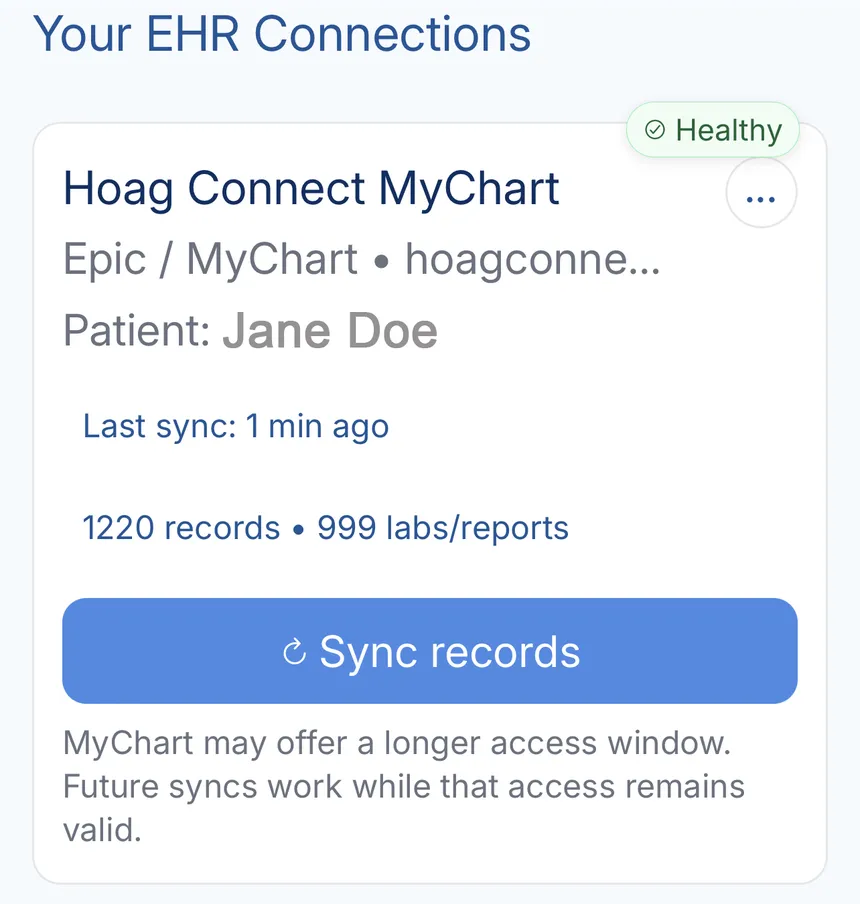
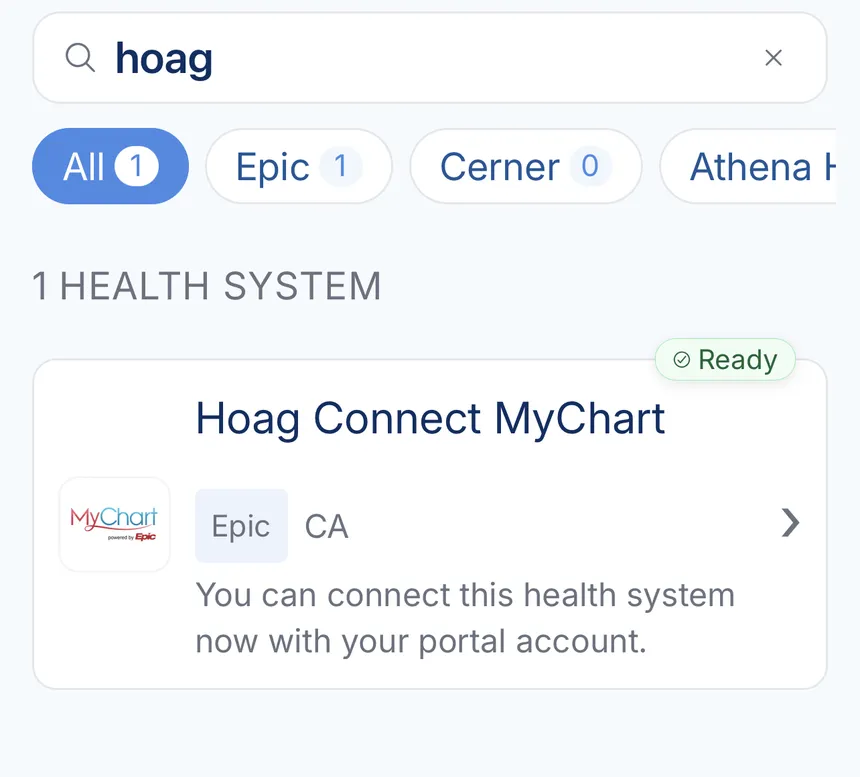
Open Account, then Connections, choose Add a health system, and type "Hoag". The entry shows a green Ready tag with its Epic platform and California labels. Searching the formal name "Hoag Memorial Hospital Presbyterian" lands on the same entry.
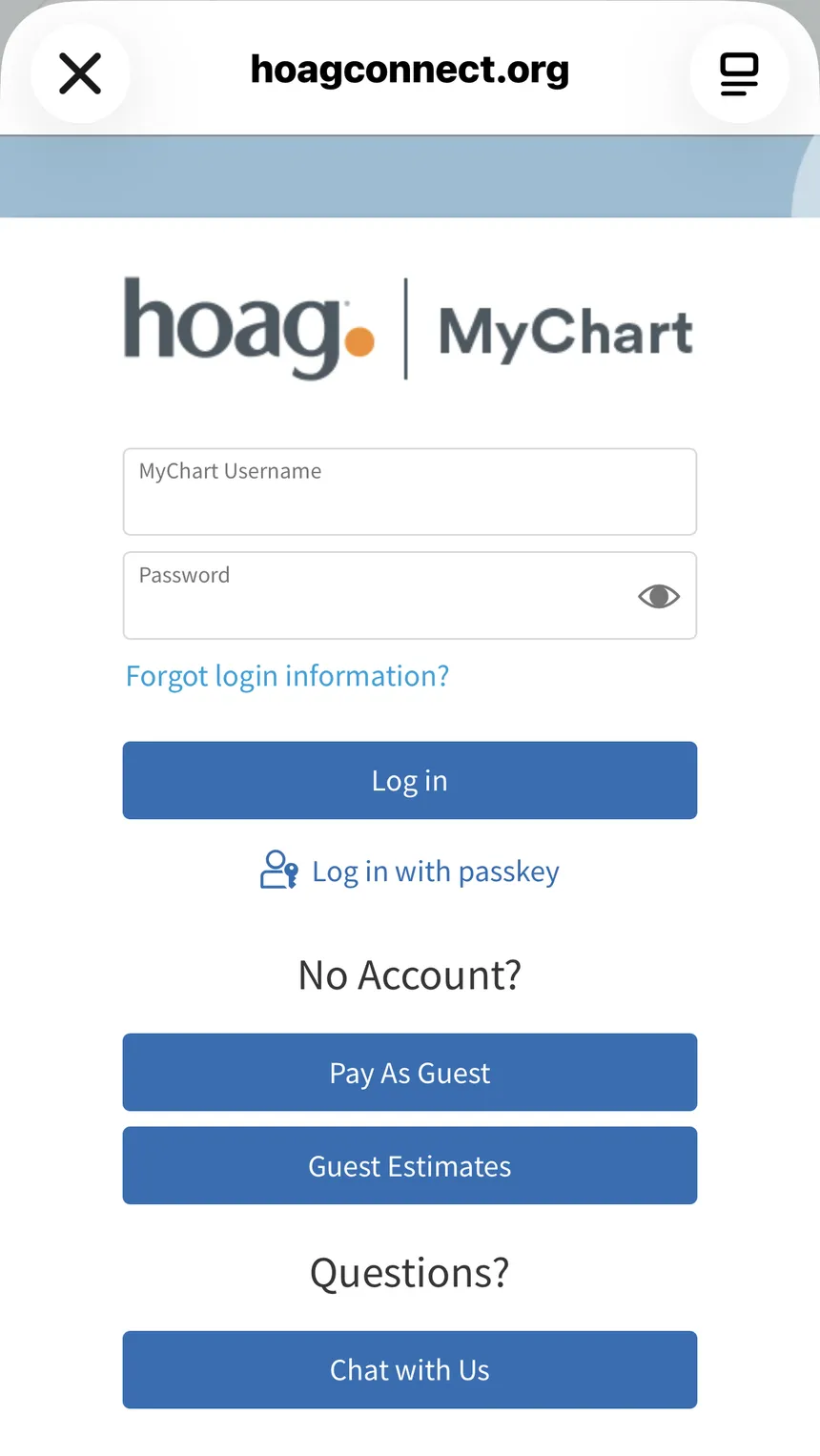
KeepMD opens Hoag's secure sign-in page in a browser sheet. Your username and password go straight to Hoag. KeepMD never sees, stores, or transmits them.
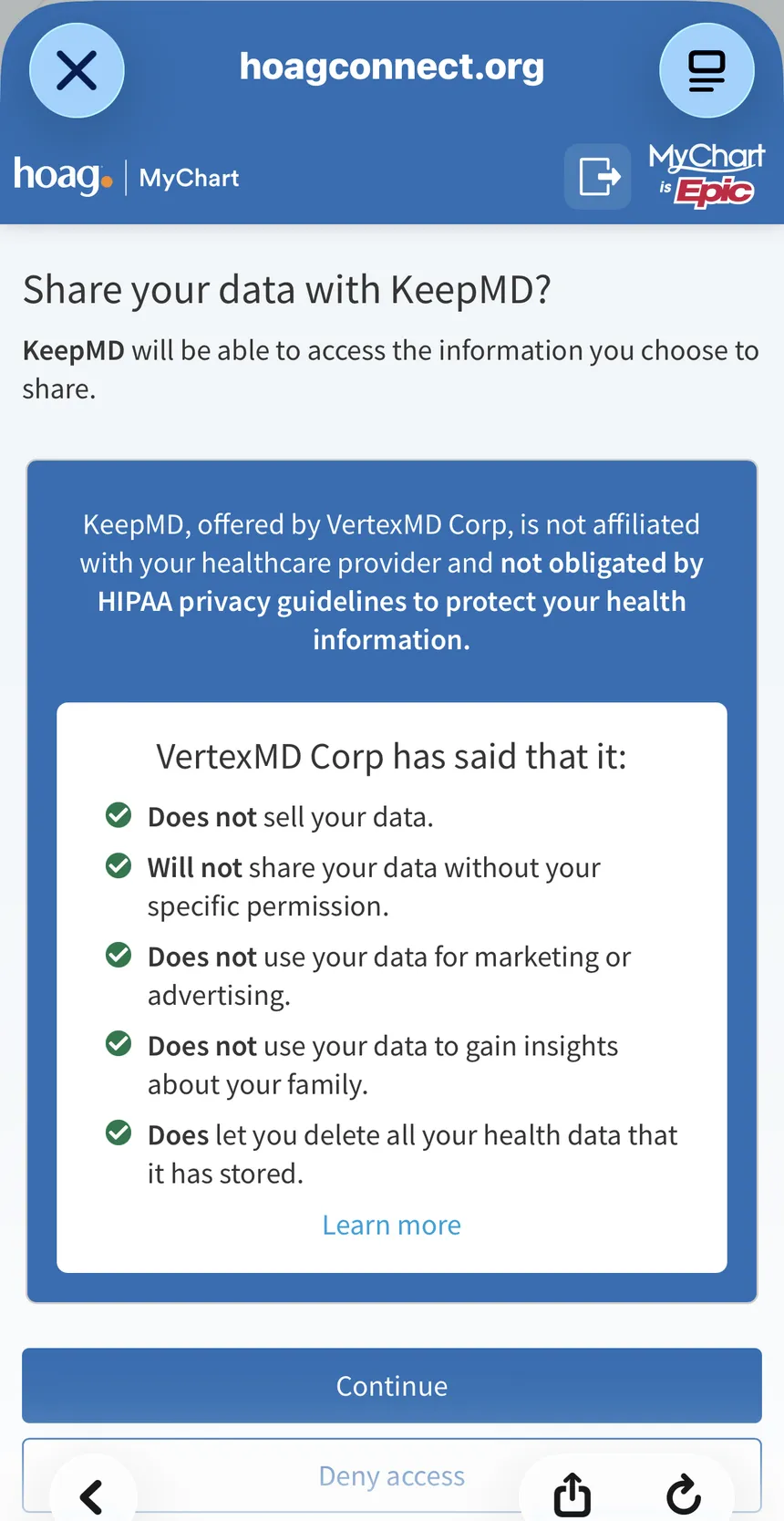
Hoag asks directly: "Share your data with KeepMD?" The same screen lists KeepMD's commitments on record with Epic: no selling your data, no sharing without your permission, no marketing use, and the right to delete everything.
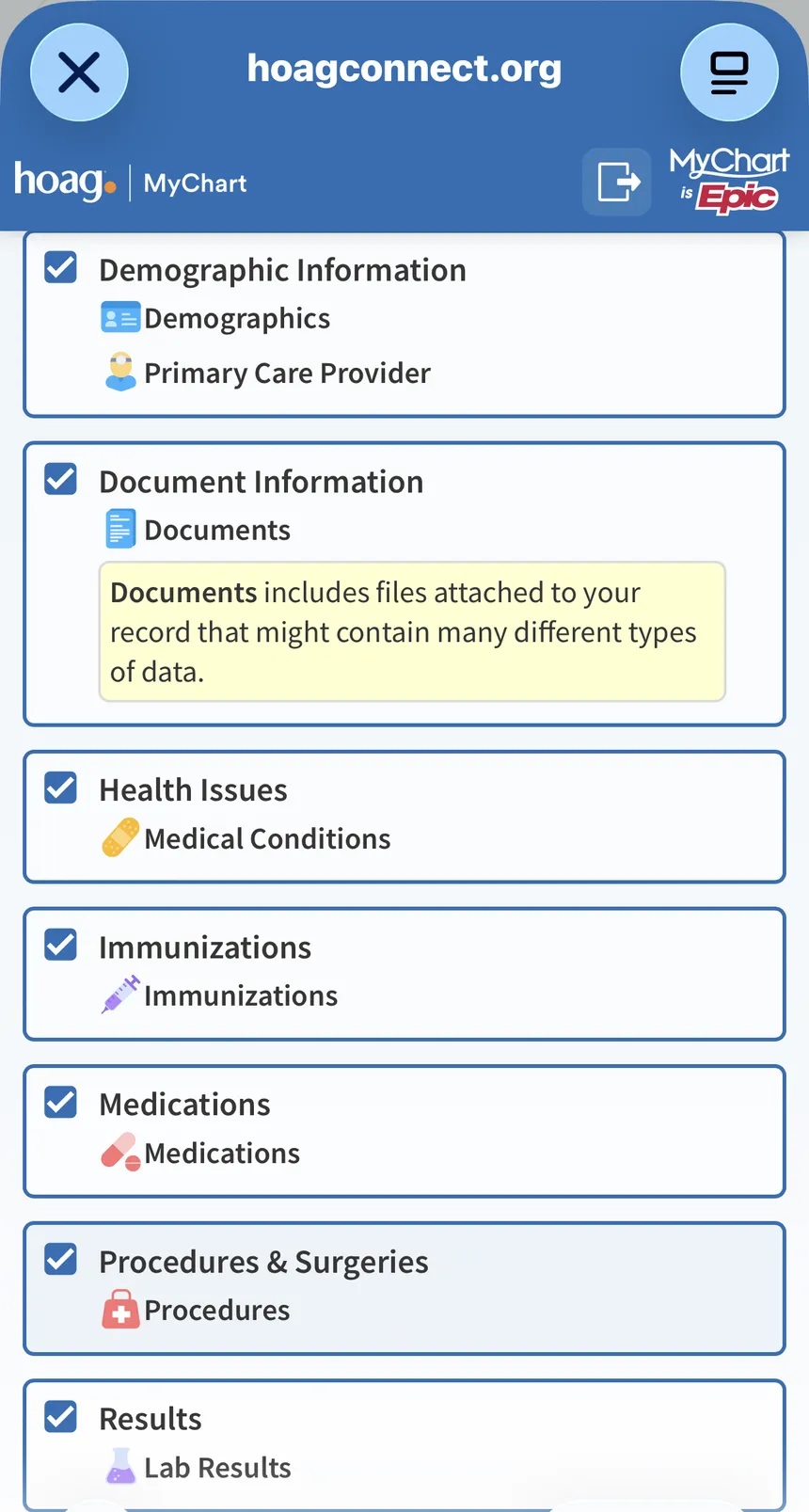
Checkboxes cover each record category: demographics, documents, health issues, immunizations, medications, procedures, and results. Untick anything you want to hold back, then press Allow access. You stay in control of the scope.
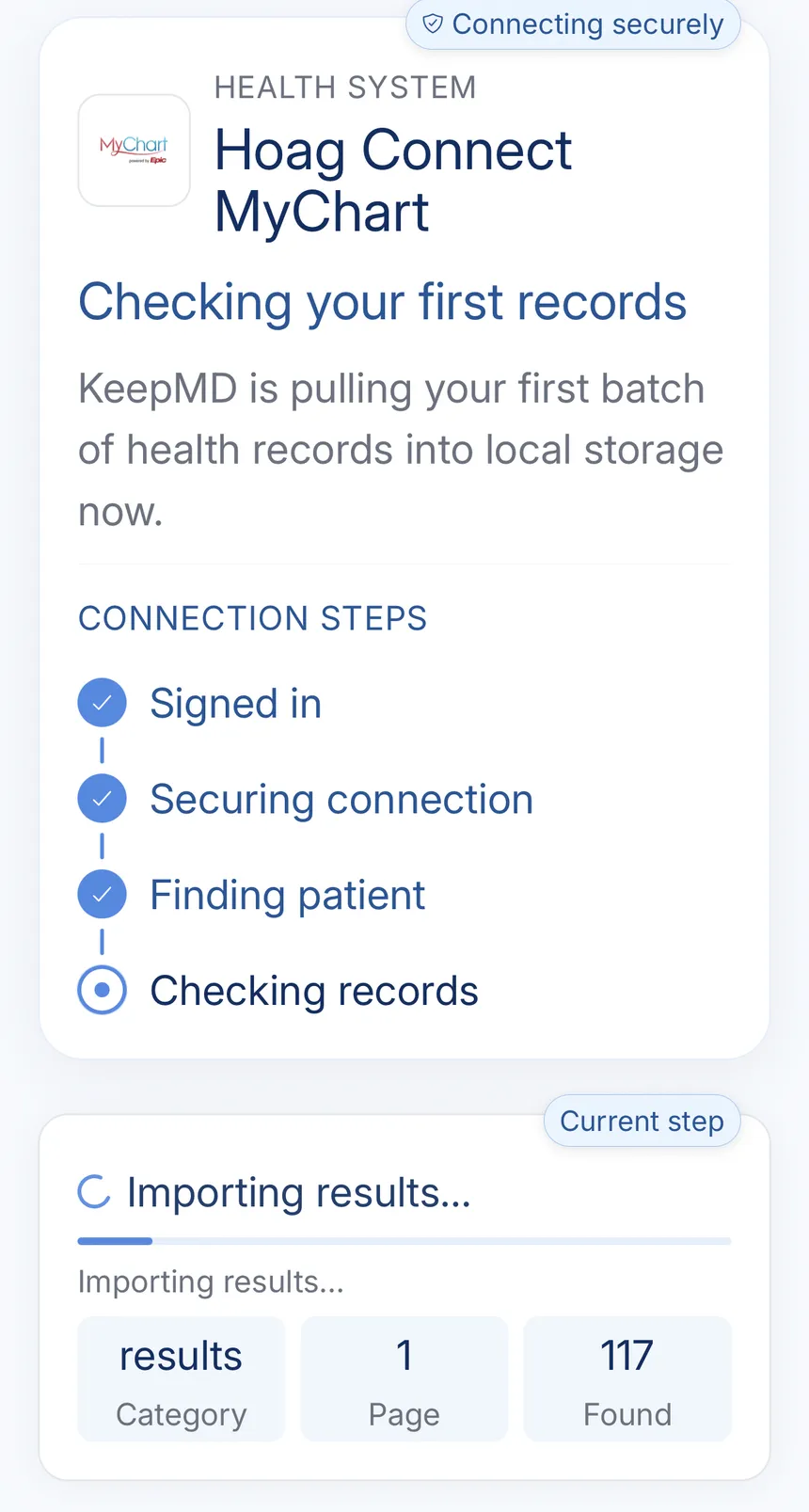
Back in KeepMD, the connection walks through its steps: signed in, securing connection, finding patient, checking records. Large Hoag charts take a few minutes, and the import keeps working if you leave the screen.
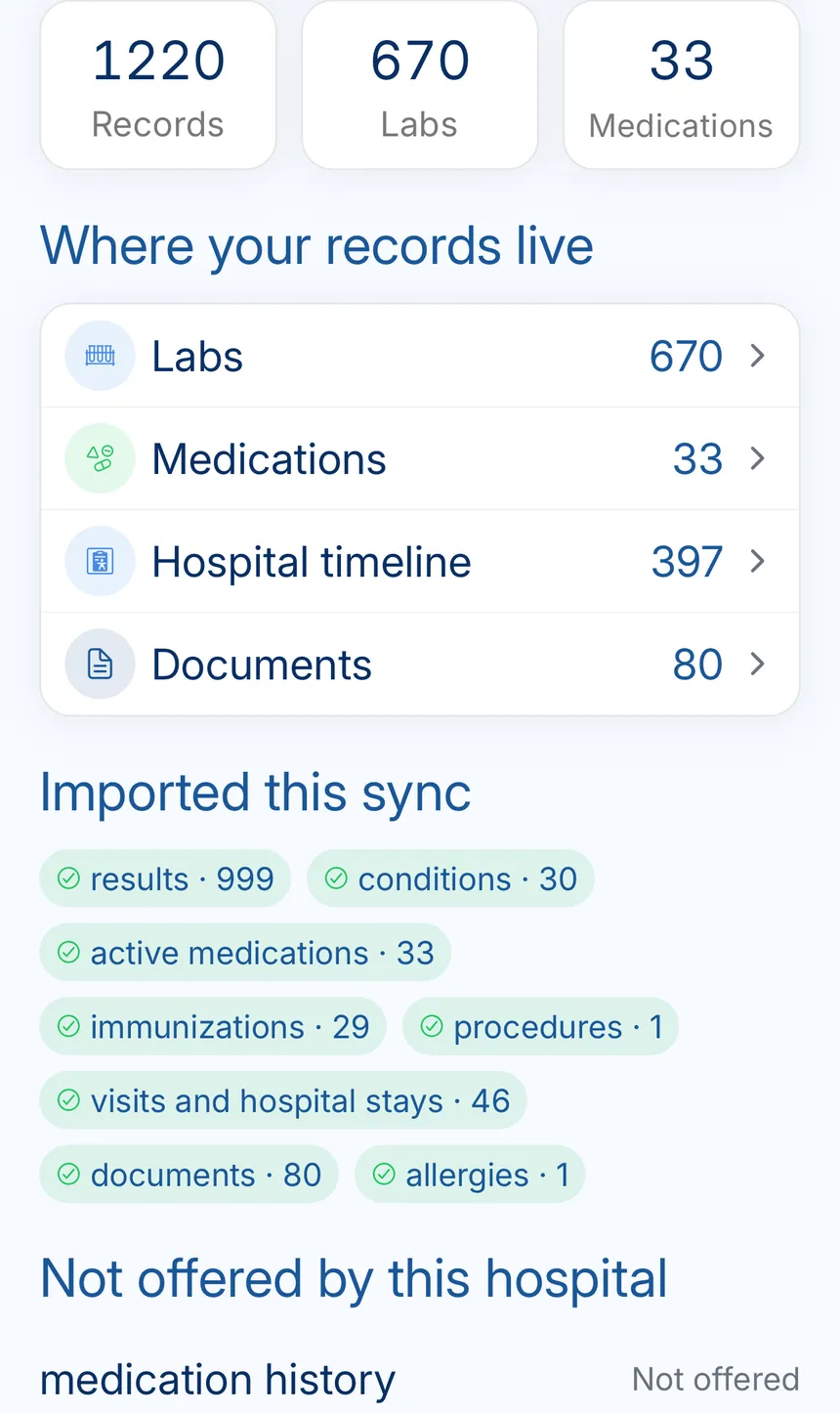
One sync pulled 1,220 records: 670 labs, 33 medications, 397 hospital timeline entries, and 80 documents. The summary also names what Hoag's feed does not offer, like medication history, so you know what to request separately.
Campus locations, state licensing facts, and Hoag's own channels, from public records.

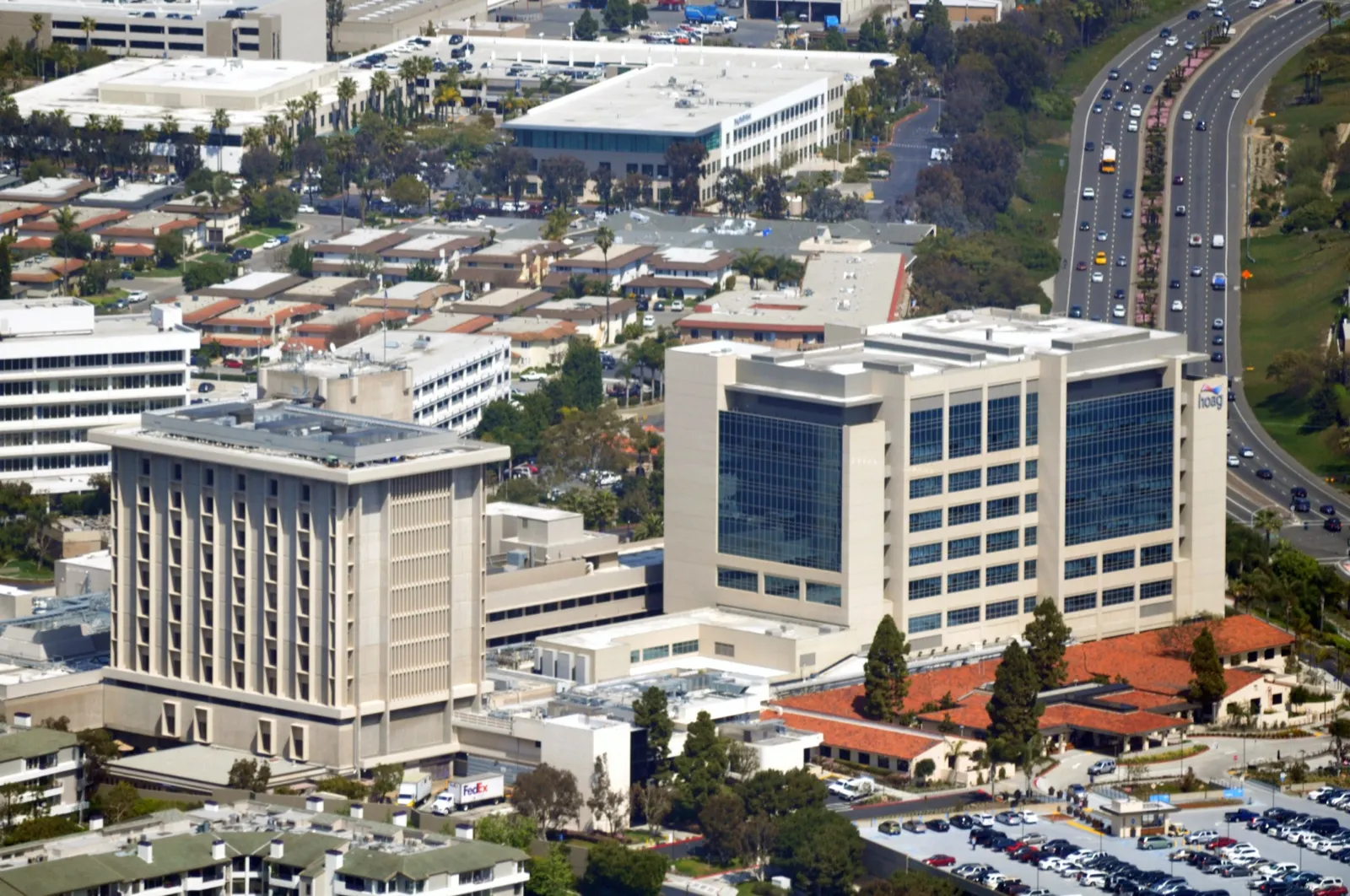
Aerial view of the Hoag Memorial Hospital Presbyterian campus in Newport Beach
California Department of Health Care Access and Information (HCAI) 2026-07-15
Current public quality and recognition sources for Hoag Memorial Hospital Presbyterian.
The top federal quality rating, awarded to both the Newport Beach and Irvine hospitals.
Medicare Care Compare 2026-07-15
#1
U.S. News Best Hospitals 2025-26, first in Orange County nine years running, nationally ranked in orthopedics.
Hoag awards and accreditations 2026-07-15
A
Straight A grades for patient safety at both Hoag hospitals in the Fall 2025 Leapfrog cycle.
Hoag press room 2026-07-15
5×
Five consecutive ANCC Magnet designations, including Magnet with Distinction, among the first nationwide.
Hoag press room 2026-07-15
Everything the connection does not cover: identifying the right organization, portal downloads, formal requests, privacy, and the post-import check.
Hoag Memorial Hospital Presbyterian runs the portal. Marketing materials call it Hoag Connect MyChart, and it uses Epic's MyChart platform. Weighing the portal against a full personal health record? Our KeepMD vs MyChart guide covers where a portal helps and where it stops.
Two naming quirks trip people up in hospital pickers:
Use the official portal shortcut on this page when signing in. Lookalike sites exist, so check the address bar before entering your credentials.
Hoag describes the portal as online access to your records from both the hospital and your physician's office. You can review test results, message providers, request refills, and manage appointments there. Two portal features matter for your records specifically:
New to the portal? Use Hoag Connect MyChart's account-creation flow and complete identity verification. For portal account help, call Hoag Member Services at (949) 688-2772 or email [email protected].
Hoag publishes no self-service full-record export in the portal. For a complete copy, use the request process below.
An app connection is not a legal record release. Go through Hoag's Health Information Management department when you need certified copies, imaging discs, records older than the portal, or anything marked "usually a separate request" above. If you are unsure what Hoag has to give you and how fast, read about medical records access rights.
You grant this access on Hoag's side through standards built for FHIR health data interoperability, using the same patient-access authorization Hoag offers every approved health app. Hoag's consent screen names KeepMD, lists its commitments before you share anything, and lets you deny access outright. You can see the actual screen in step 3 above: KeepMD does not sell your data, does not use it for marketing or advertising, and lets you delete everything it has stored.
The connection reads your chart. It cannot write to it, change it, or delete anything at Hoag. Imported records live encrypted on your device under KeepMD's on-device storage model. Delete the connection in KeepMD whenever you want; your Hoag Connect MyChart account never notices.
A good import still deserves a five-minute audit:
The sign-in screen and Epic's directory say Hoag Memorial Hospital Presbyterian. App lists say Hoag Connect MyChart. Same organization, same connection. Connect once and skip the duplicate.
Hoag returns prescription orders through this connection. Its self-reported medication-history feed was unavailable when KeepMD validated the connection, and the import summary labels it "not offered by this hospital." Check the portal for medications you reported verbally. This is a Hoag feed limitation, and none of your KeepMD records were lost.
Hoag charts run large. One validation sync returned 1,220 records. The import keeps working in the background, and the connection stays valid even when the progress screen lingers. Give it a few minutes.
Hoag Orthopedic Institute hospital records ride this connection. Procedures done at an HOI-affiliated surgery center stay with that center. Hoag's guidance is to contact the surgery center directly, then add the copies to KeepMD by scan or PDF import.
FAQ
You have three routes. View and manage records in Hoag Connect MyChart. Request copies from Hoag's Health Information Management department online, by phone at (949) 764-8326, by email to [email protected], by fax, or by mail; our guide on how to request medical records walks through the letter and the timeline. Or connect KeepMD and import the ten structured record categories listed on this page directly onto your device.
Yes. Hoag's patient portal is Hoag Connect MyChart, built on Epic's MyChart platform. For Hoag MyChart app access, open the MyChart app and choose the Hoag Connect organization. In KeepMD, search for Hoag and select Hoag Connect MyChart.
Hoag fills patient requests of 25 pages or less free of charge. Larger requests can carry copying fees, so confirm the current schedule with Health Information Management at (949) 764-8326.
Hoag does not publish a standard turnaround. Federal privacy rules give providers up to 30 days to fulfill a request, and most arrive sooner. The KeepMD connection is the fast path for the categories it covers, importing in minutes.
Hoag offers MyChart proxy access. Parents get full access for children through age 11, and access for teens 12 to 17 requires the teen's approval. KeepMD can help you manage family medical records by placing records received as a proxy or through a formal request into a separate family profile.
Yes. The Hoag connection is available in KeepMD. Labs, medications, allergies, immunizations, conditions, procedures, visits, vitals, documents, and diagnostic reports are supported. You approve access on Hoag's own sign-in page, and KeepMD's access stays read-only.
Patient-access connections carry structured record categories, never the complete legal record. Hoag's known gaps are self-reported medication history, which Hoag's feed does not offer, and radiology image files. Compare KeepMD against the portal, then use Hoag's records request process for anything that stayed behind.
Call Health Information Management at (949) 764-8326 to request imaging on disc. App connections carry the written radiology reports, and the image files themselves stay at Hoag until you request them.