Hospital integration guide

Jefferson Health Jefferson Health · my.jeffersonhealth.org

Your Jefferson Health medical records

Use MyJeffersonHealth, request copies online or with the form for the Jefferson hospital that treated you, tick the imaging box for X-rays and CDs, and check Einstein and Lehigh Valley before organizing records in KeepMD.

Available to connect Connection status reviewed on

KeepMD is an independent personal health record app. It is not affiliated with, endorsed by, or operated by Jefferson Health or Epic Systems Corporation. MyChart® is a trademark of Epic Systems Corporation.

Portal MyJeffersonHealth my.jeffersonhealth.org
KeepMD connection Jefferson Health MyJeffersonHealth route for Jefferson Health hospitals in Greater Philadelphia and South Jersey, including Jefferson Einstein Philadelphia and Montgomery since Sept. 26, 2026; each hospital group lists its own records office, Einstein keeps a separate records route, and Lehigh Valley Health Network uses MyLVHN
Records 215-955-6627 Thomas Jefferson University Hospital and Jefferson Methodist Hospital medical records (Health Information Management)

Start with the document you need

MyJeffersonHealth shows your Jefferson Health record online, but its FAQ sends full-copy requests to the Jefferson Health website. Request records through the online request link on the Medical Records page, or mail the signed form to the office for the hospital that treated you. Einstein patients use Einstein's own records route, and Lehigh Valley Health Network uses MyLVHN.

Which Jefferson Health records can you bring together?

Use these ten categories to check your connected records. What arrives depends on what the hospital has recorded and shares for your account and dates of care.

10 categories to check

10 types

Use this checklist for an Epic connection. Available content depends on your account; listing a category does not confirm that records in it have been imported.

  • Lab results
    Blood work and other laboratory results. Check the collection date, units, and reference range when comparing tests from different visits.
  • Vital signs
    Measurements such as blood pressure, pulse, height, and weight. Look at the visit date so an older measurement is not mistaken for a current one.
  • Medications (prescriptions)
    Prescription records may include current and past orders. A prescription entry does not establish what you take today; discuss discrepancies with your care team.
  • Allergies and intolerances
    Recorded allergies, intolerances, and reactions. An empty list does not confirm that you have no allergies; compare it with information you have given your clinician.
  • Immunizations
    Vaccinations documented in the chart. Doses given at a pharmacy, school, or another health system may need to be obtained from that source.
  • Health conditions and problems
    Diagnoses and entries on the problem list. Some entries describe past care; ask the treating team about an unfamiliar or incorrect entry.
  • Procedures
    Documented procedures and treatment history. For the details of an operation, look for the operative report as well as the procedure entry.
  • Visits and encounters
    Office visits, emergency visits, and hospital stays. Compare the facility and dates with your own appointment or discharge paperwork.
  • Clinical documents and notes
    Released clinical notes, visit summaries, and other documents. Availability can differ by document and date; request a missing note by visit and clinician.
  • Diagnostic reports
    Written findings from imaging or other diagnostic tests. The report explains the findings; the actual scan images may follow a separate download or request process.

Not yet verified

1 type

These may exist in the portal, but KeepMD has not verified their availability through this connection.

  • Categories available in your account
    MyJeffersonHealth coverage depends on the patient, encounter and permissions. Compare each category with the portal; this guide does not certify every category as imported.

Usually a separate request

2 types

Records Jefferson Health typically releases through its medical-records process, not through the patient-access connection.

  • Images and reports
    The report and the image files are different records. Confirm the imaging location and study date before requesting a copy.
  • Complete chart or certified documents
    Use the formal request route for the correct custodian; a portal view can be partial.

The Jefferson Health connection in seven steps

Illustrative walkthrough: find Jefferson Health, confirm the MyJeffersonHealth portal, and review access before sharing information. The screens and counts are examples, not a record of an import from this hospital.

  1. Step 1 of 7

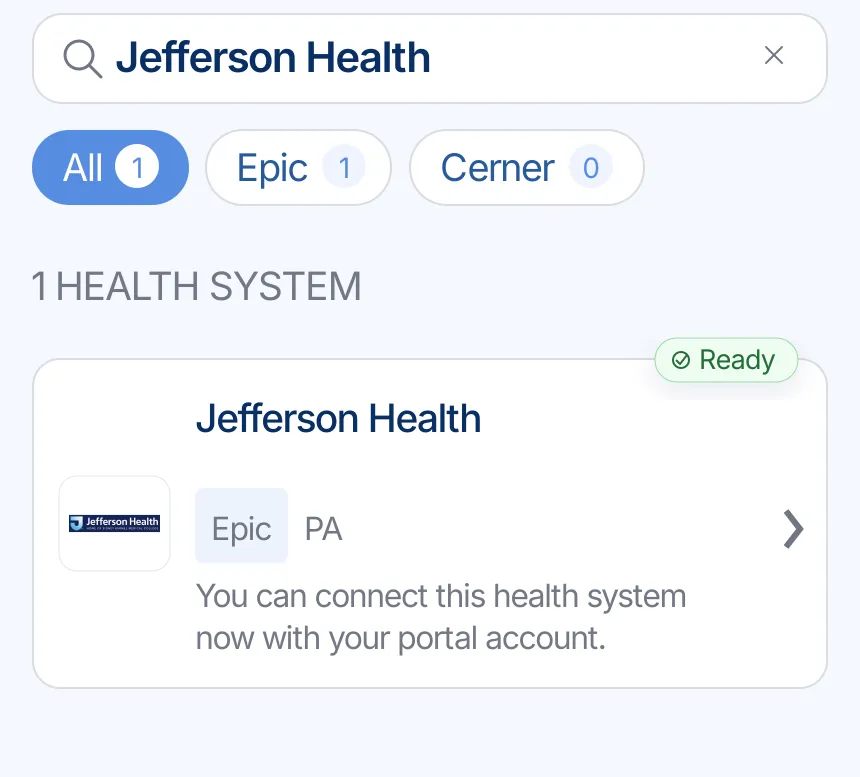
    Find Jefferson Health

    Search for Jefferson Health in KeepMD. Confirm the portal is my.jeffersonhealth.org and matches the location that treated you.

    Illustrative example: KeepMD search results showing Jefferson Health ready to connect
    Example of provider search in KeepMD.
  2. Step 2 of 7

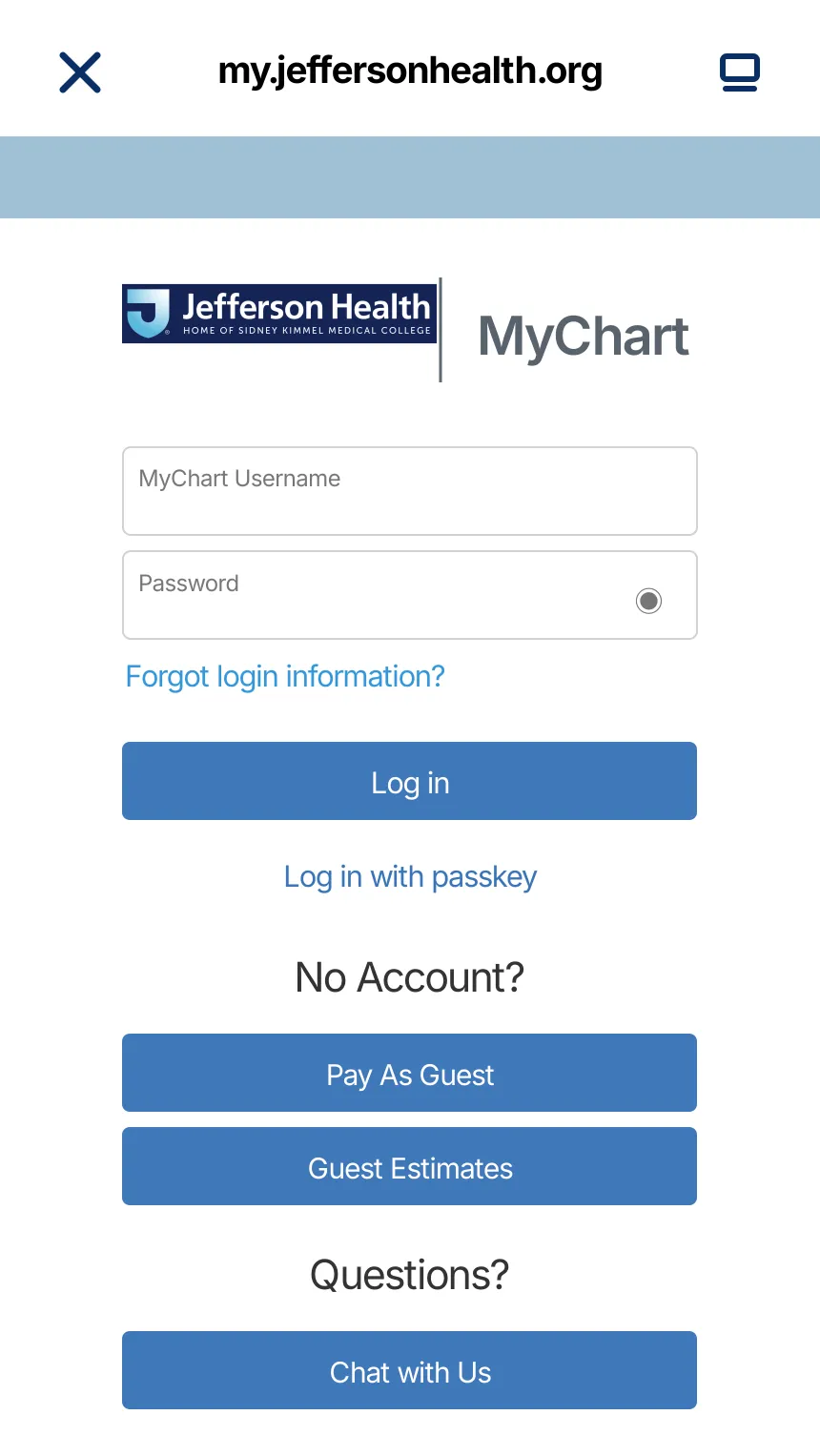
    Continue to MyJeffersonHealth

    KeepMD opens the provider-owned sign-in page. Enter credentials there; KeepMD does not receive or store your password.

    Illustrative example: MyJeffersonHealth sign-in handoff for the Jefferson Health connection
    Secure handoff to MyJeffersonHealth.
  3. Step 3 of 7

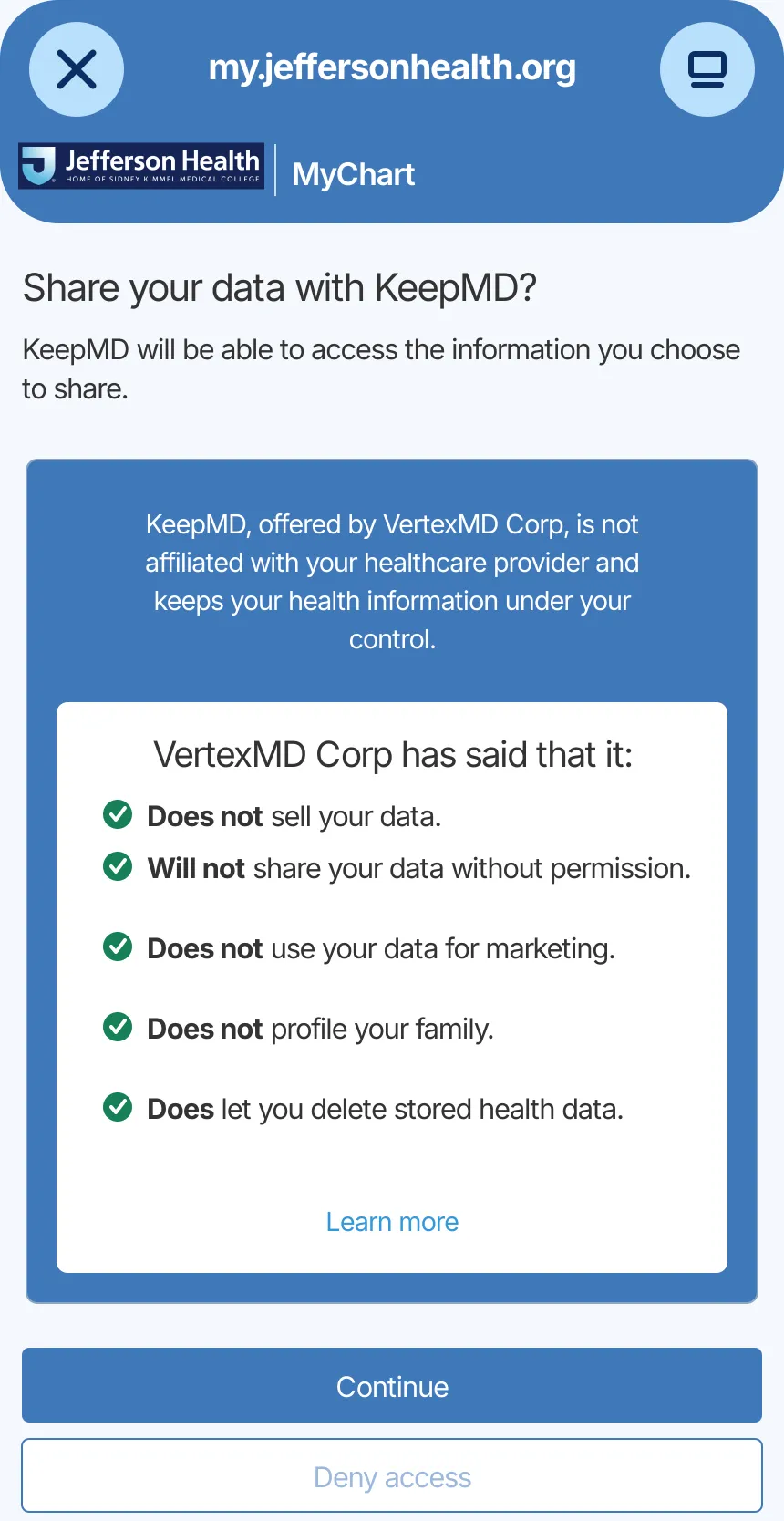
    Review access

    Review the information the portal can share and decide whether to authorize the connection.

    Illustrative example: KeepMD data-sharing consent screen for the Jefferson Health connection
    Access review for the provider connection.
  4. Step 4 of 7

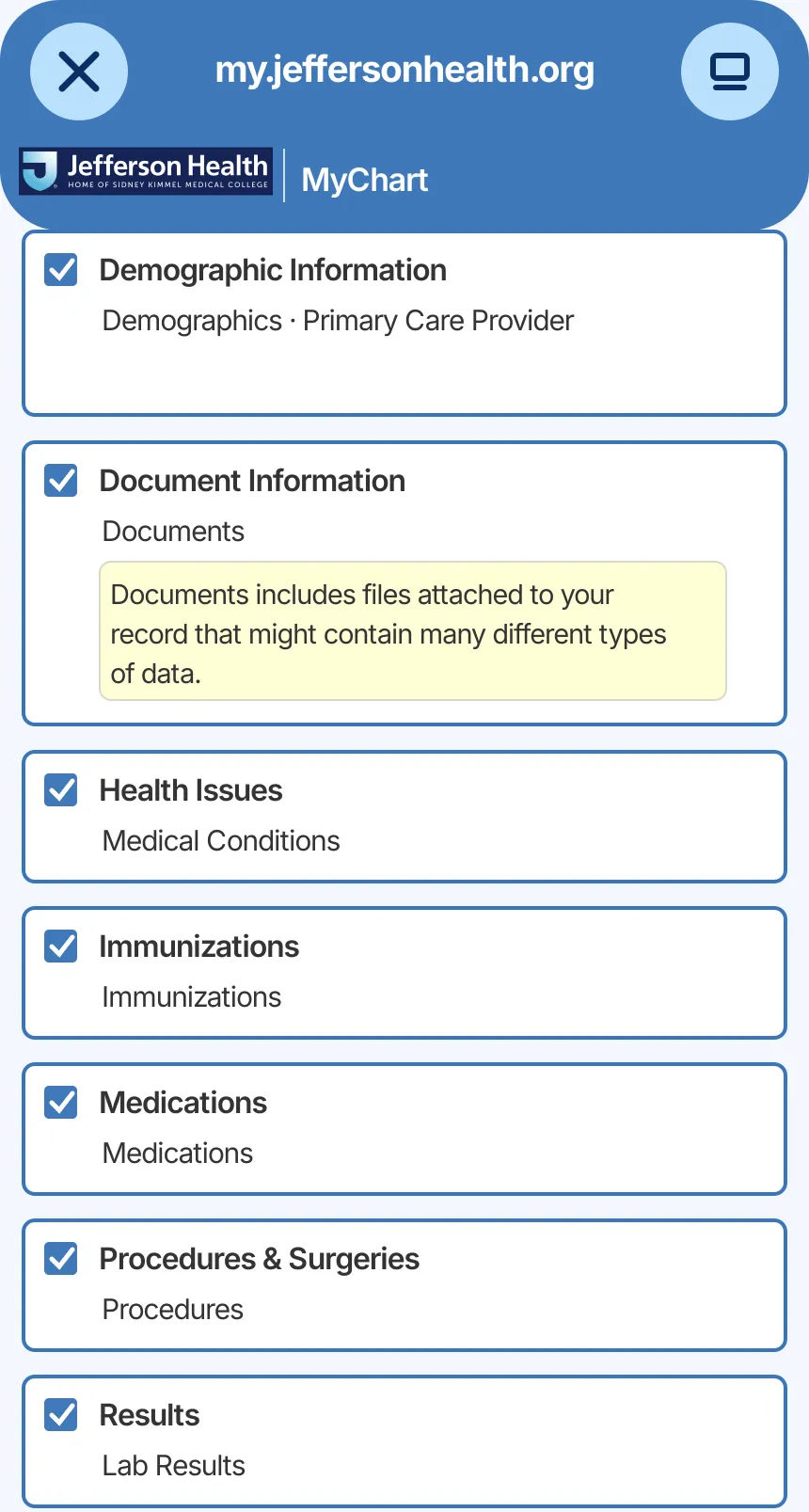
    Choose record categories

    Select the information you want to organize. Actual availability depends on your account.

    Illustrative example: Epic MyChart record categories available to choose for the Jefferson Health connection
    Health-information categories selected for import.
  5. Step 5 of 7

    Import available records

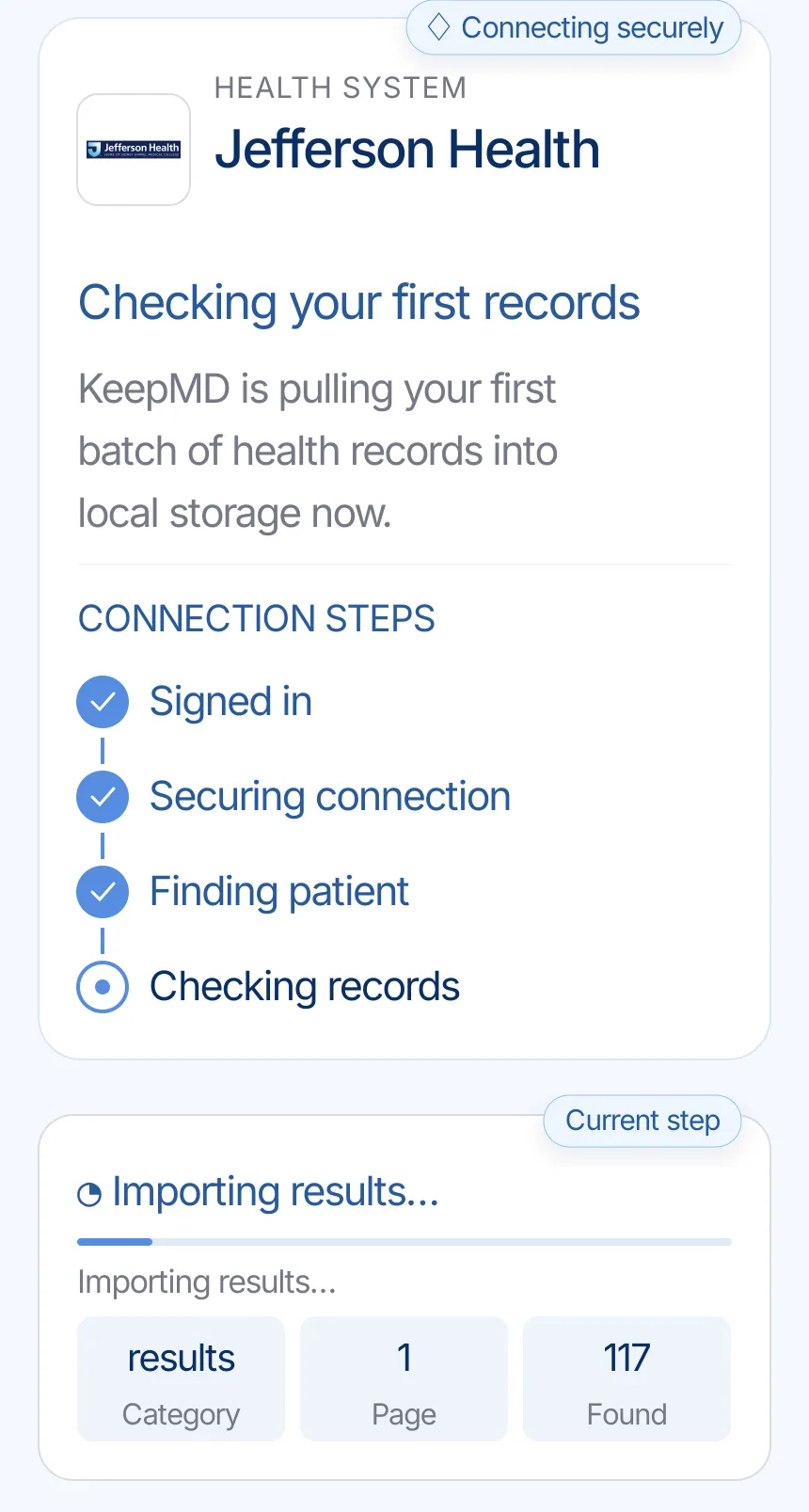
    KeepMD secures the connection and checks the information the provider makes available.

    Illustrative example: KeepMD checking the first records from Jefferson Health
    KeepMD checking available records.
  6. Step 6 of 7

    Review organized records

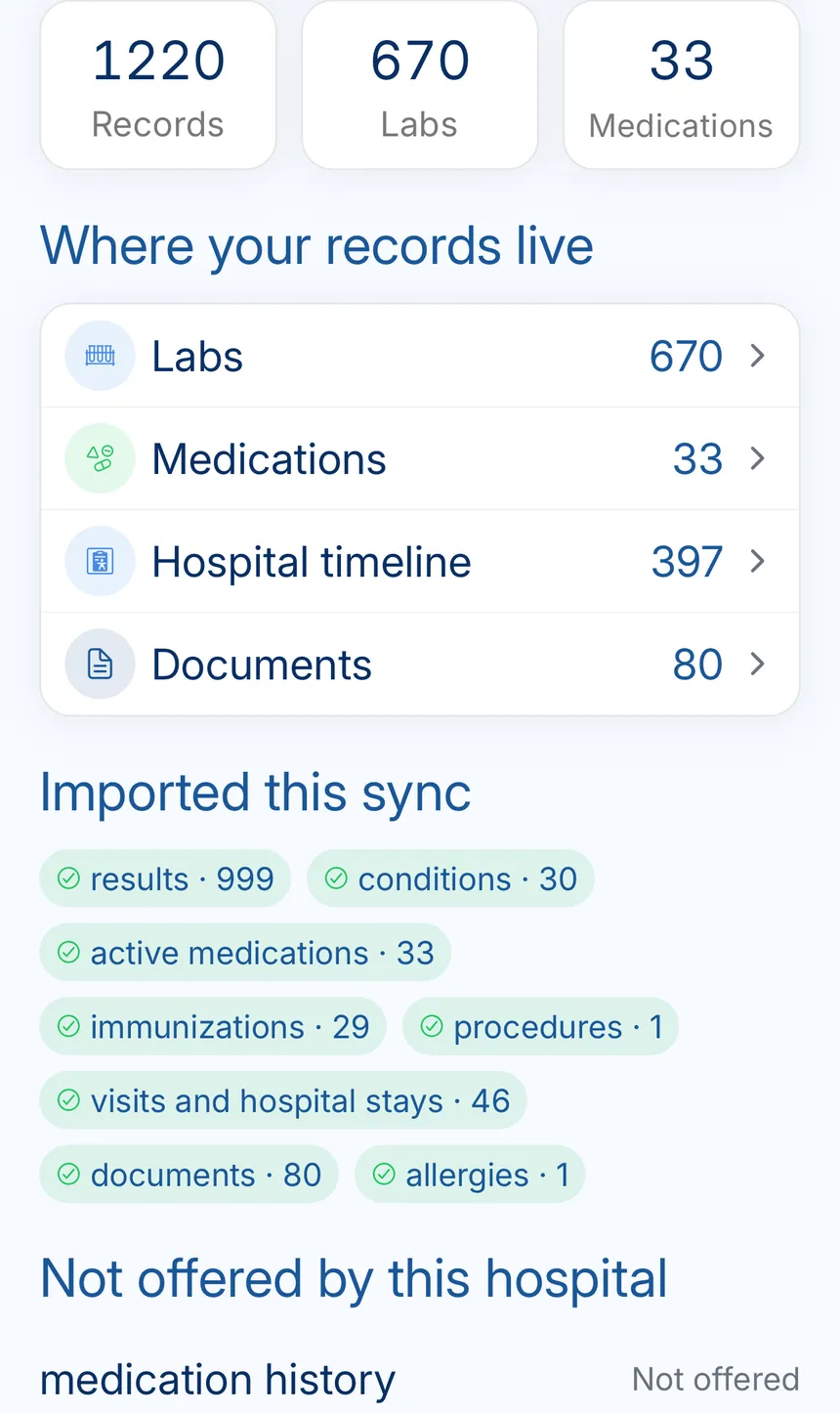
    KeepMD groups what the connection returns. Categories and totals can vary.

    Illustrative example: KeepMD record summary showing organized labs, medications, timeline events, and documents
    Provider records organized in KeepMD.
  7. Step 7 of 7

    See the connection summary

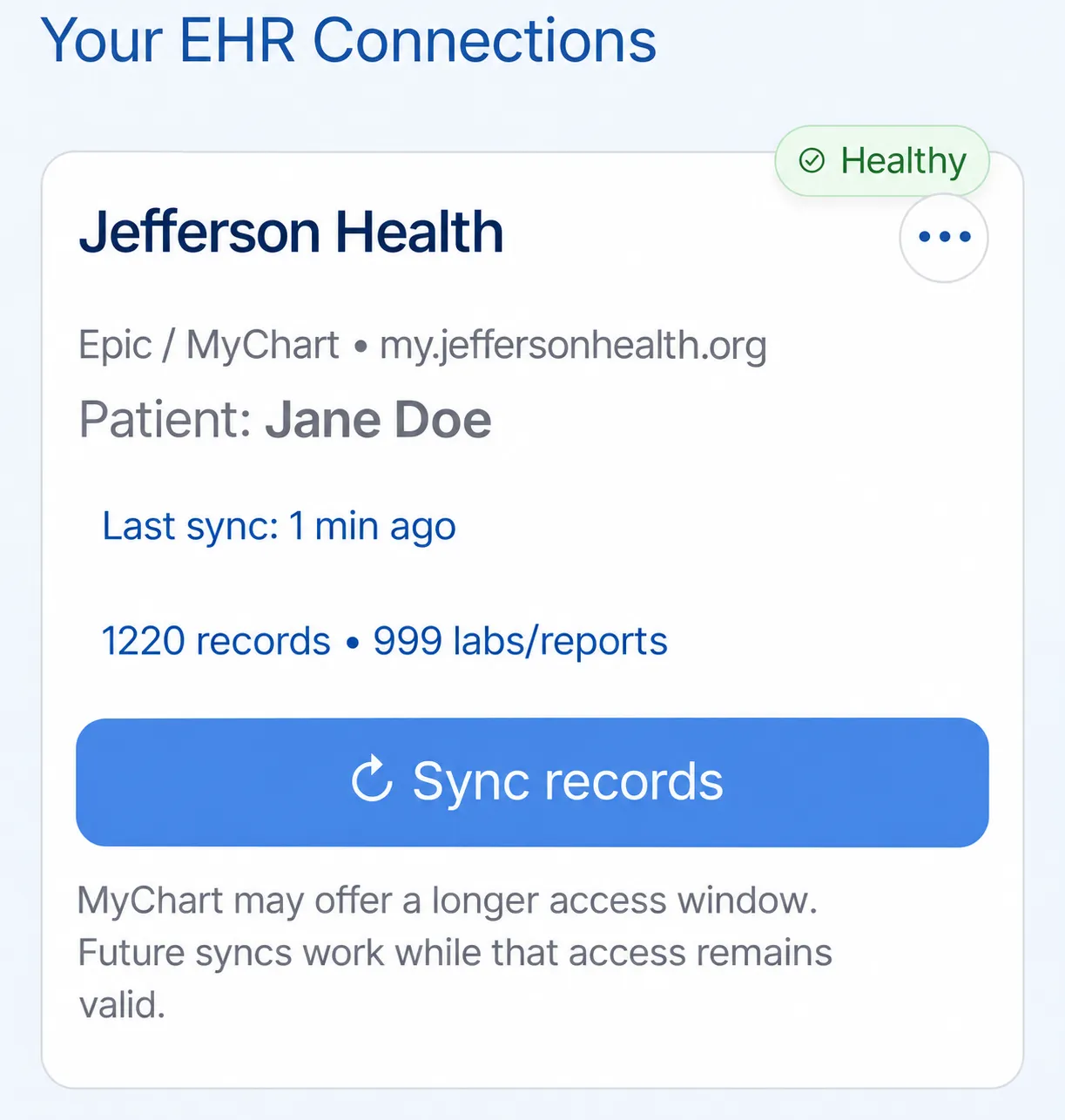
    The summary keeps the provider, last update, and organized categories together.

    Illustrative example: healthy Jefferson Health connection in KeepMD with a recent sync and Sync records control
    Jefferson Health connection summary in KeepMD.

Jefferson Health: access and requests

Everything the connection does not cover: identifying the right organization, portal downloads, formal requests, privacy, and the post-import check.

Identify your portal and treating location

Health system
Jefferson Health
Patient portal
Jefferson Health (my.jeffersonhealth.org)
Platform
Epic MyChart
Also appears as
  • Jefferson Health
  • Thomas Jefferson
  • Jefferson University
  • Thomas Jefferson University Hospital
  • MyJeffersonHealth
  • Jefferson Methodist Hospital
  • Jefferson Abington Hospital
  • Jefferson Lansdale Hospital
  • Jefferson Einstein Philadelphia Hospital
  • Jefferson Einstein Montgomery Hospital
  • Jefferson Health Northeast
  • Jefferson Health New Jersey

Jefferson Health here means the health system of Thomas Jefferson University in Greater Philadelphia and South Jersey, not Jefferson Hospital in Jefferson Hills, which belongs to Allegheny Health Network, or Jefferson Healthcare in Washington State. Its patient portal is MyJeffersonHealth at my.jeffersonhealth.org, for care across the Greater Philadelphia region; since Sept. 26, 2026 it also holds records for Jefferson Einstein Philadelphia Hospital and Jefferson Einstein Montgomery Hospital. In KeepMD, search for Jefferson Health and confirm the sign-in page is MyJeffersonHealth before authorizing. Lehigh Valley Health Network joined Jefferson in 2024 but keeps its own portal, MyLVHN, and has its own KeepMD listing.

Review and download your documents

Jefferson's Medical Records page lists two ways to request records: online, through the patient request link on that page, or with a signed authorization form mailed to the right hospital office. The MyJeffersonHealth FAQ sends full-copy requests to that page, and Jefferson says it works with Datavant to provide copies. Each office links its form in English and Spanish. Records are not released without written authorization, and staff do not give medical information over the phone. Jefferson charges for copies under state and federal law, and no turnaround time or dollar amount is printed. Unless you write another date, the authorization expires six months after you sign it.

Request the right records

Records offices are listed by hospital group, most with the email [email protected]: Thomas Jefferson University Hospital and Jefferson Methodist Hospital, 215-955-6627; Jefferson Abington Hospital, 215-481-4435, fax 215-481-3139; Jefferson Lansdale Hospital, 215-361-4959; Jefferson Bucks, Frankford and Torresdale Hospitals, 215-612-4147; Jefferson Cherry Hill, Stratford and Washington Township Hospitals in New Jersey, 856-406-4850; and Jefferson Moss-Magee Rehabilitation Hospital in Center City, 215-587-3109. Some forms print a different mailing address or email than the page, so confirm by phone before mailing. To check a request already submitted, use the Datavant status line printed for your group, such as 888-459-6642 for Thomas Jefferson and Methodist.

Records 215-955-6627 Thomas Jefferson University Hospital and Jefferson Methodist Hospital medical records (Health Information Management)

Review access before authorizing

Authorize through Jefferson Health's official portal and confirm the patient. Follow the hospital's proxy permissions when helping a relative.

Keep passwords and sign-in codes private. To stop future app access, check the portal's connected-app controls. Removing permission does not automatically delete files already downloaded or shared. KeepMD is independent of Jefferson Health and Epic. The screens are examples with synthetic values, not evidence of a hospital-specific import.

Review imported records and permissions

After the first import, compare one Jefferson visit, its date and the record categories with MyJeffersonHealth. Keep MyLVHN, Nemours Children's Health at Abington and outside providers on a separate checklist; Rothman Orthopaedic Specialty Hospital at Bensalem has a page on Jefferson's site but is not on the records page, so ask it directly. For family access, the Proxy Access page describes full access for children up to 11 and limited access from 12 to 17, completed with the teen, using a Proxy Access Consent Form; ask the provider about the teen years. Describe a gap to the records office without sharing your password. Corrections use the amendment form for your hospital of service; a second KeepMD sync cannot change the source record.

Known Jefferson Health quirks worth checking

The visit is missing

Einstein keeps its own records route. For Jefferson Einstein Philadelphia Hospital and Jefferson Einstein Montgomery Hospital, the page lists three ways: the Einstein online request link, the Einstein form in English or Spanish by mail, or a call to 1-877-945-3402. Jefferson says up to three years of MyEinsteinHealth records moved to MyJeffersonHealth and appear after your next visit at either hospital, so older history needs a request. The patient or a legally authorized representative signs, and Jefferson may ask for proof. A parent or legal guardian signs for a minor under 18, with exceptions printed on the form; for a deceased patient, the executor or, without one, the next of kin responsible for the remains. KeepMD does not decide who may access a Jefferson chart.


You need original images

Every Jefferson authorization form has separate boxes for Imaging Films (X-rays, Scans, CD) and Imaging Reports, and Jefferson's imaging page says images can be stored on CDs and saved as part of your electronic record. No separate line for image copies is printed, so ask the records office for the hospital where the test was done. Jefferson's 21st Century Cures Act page says radiology results are released to MyJeffersonHealth once finalized, and its Einstein transition page says certain image files did not move from MyEinsteinHealth. A result visible in MyJeffersonHealth does not mean the image files arrive in KeepMD; give the receiving clinician the study date.

FAQ

Jefferson Health records questions

Sources